
Best IPTV Player for Android in 2026: 8 Apps Compared for Phone, Firestick and Android TV
The best IPTV player for Android depends on your screen: TiviMate on Firestick and Android TV, IPTV Smarters Pro or IMPlayer on phones. Eight apps compared, with setup steps and settings that stop buffering.
Published 11 min read
In this article
- The quick answer
- What makes a good IPTV player on Android
- The 8 best IPTV players for Android, compared
- 1. TiviMate: best for Firestick and Android TV
- 2. IPTV Smarters Pro: best for beginners and phones
- 3. IMPlayer: best free all rounder
- 4. OTT Navigator: best for power users
- 5. XCIPTV: best for older or slower devices
- 6. Televizo: best for several playlists
- 7. Sparkle TV: best with a home media server
- 8. IBO Player: best for mixed households
- Which Android IPTV app should you choose?
- Phone or TV: why the same app feels different
- How to set up an IPTV player on Android
- TV guide (EPG) on Android players
- Settings that make any Android IPTV app smoother
- The player is only half of it
- Best IPTV player for Android: FAQs
- What is the best free IPTV player for Android?
- Is TiviMate better than IPTV Smarters?
- Can I use the same IPTV login on two apps?
- Do IPTV players come with channels?
- Which IPTV app is best for Firestick?
- Do I need a VPN with an IPTV player on Android?
- Why does my IPTV app say "invalid login" or "no channels"?
- Is it legal to use IPTV player apps?
The best IPTV player for Android is TiviMate if you watch on a TV (Firestick, Android TV or Google TV), and IPTV Smarters Pro or IMPlayer if you watch on a phone or tablet. That is the short answer. The longer one depends on your device, whether you want a cable style TV guide, catch up and recording, and whether you are happy to pay a small one off fee for premium features. This guide compares the eight Android IPTV apps we set up most often for UK customers, shows which one suits which device, and walks you through adding your subscription in a few minutes.
The quick answer
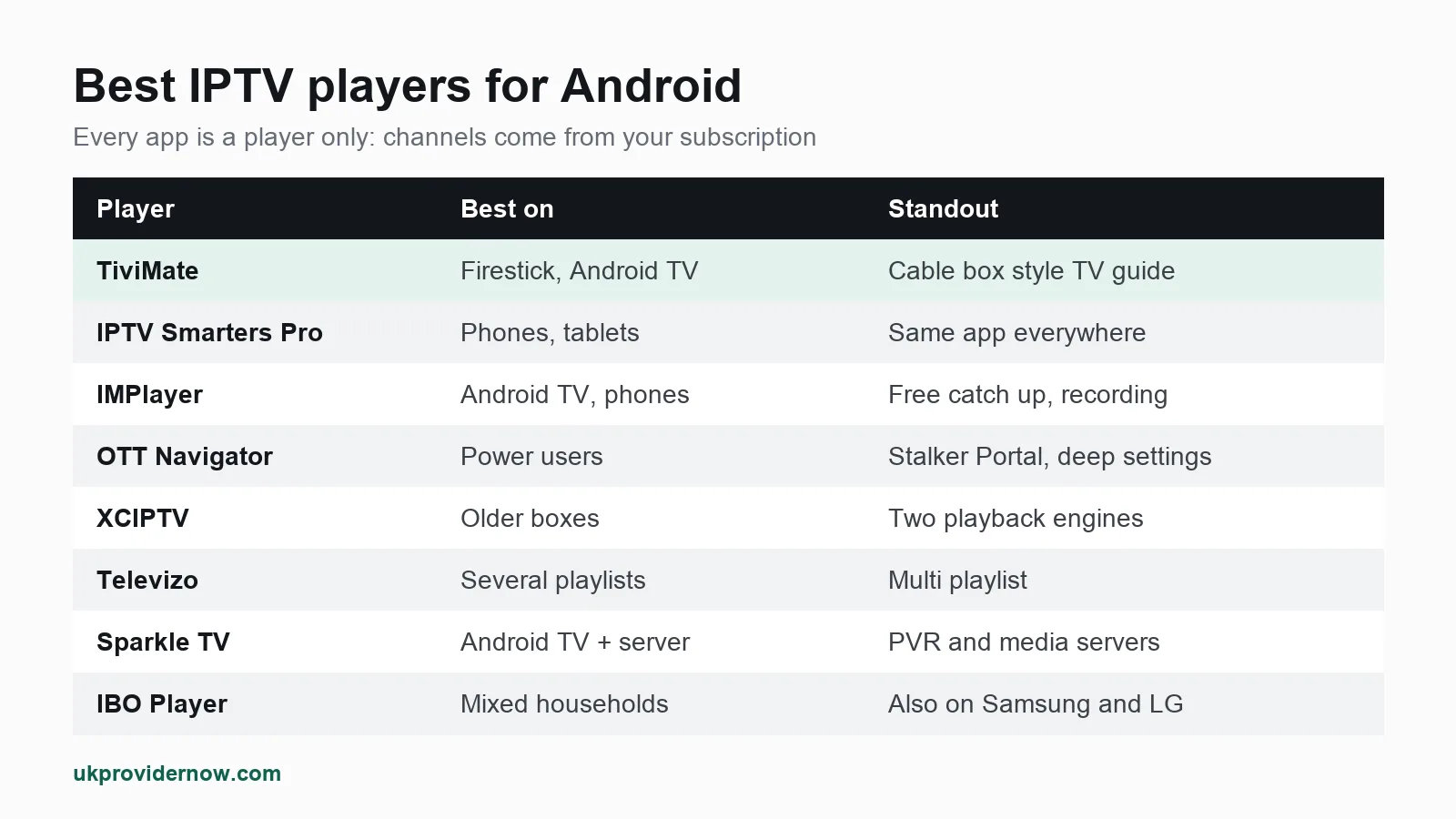
| Player | Best for | Standout feature | Cost model |
|---|---|---|---|
| TiviMate | Firestick, Android TV, Google TV | Cable box style TV guide | Free tier, paid Premium unlock |
| IPTV Smarters Pro | Phones, tablets, beginners | Same app on almost every platform | Free |
| IMPlayer | Android TV and phones | Catch up, timeshift and recording | Free, optional Premium |
| OTT Navigator | Power users | Stalker Portal support, deep settings | Free core, optional unlocks |
| XCIPTV | Older or slower boxes | Two switchable playback engines | Free |
| Televizo | Several playlists | Clean multi playlist handling | Free, optional Premium |
| Sparkle TV | Android TV with a home server | Works with PVR and media servers | Free, paid Plus |
| IBO Player | Households mixing Android and Smart TVs | Same player on Android, Samsung and LG | Activation after trial |
Our pick: TiviMate on a TV, IPTV Smarters Pro on a phone. If you want catch up and recording without paying, try IMPlayer first.
Remember that every one of these apps is only a player. None of them includes channels. You add a playlist or login from your IPTV provider, and the app plays it. That is why the same subscription can look and feel completely different from one app to the next.
What makes a good IPTV player on Android
Before the list, here is what we actually judge an Android IPTV app on, in order of how much it matters day to day:
- Fast channel switching. A good player starts a channel in a second or two. A slow one makes every zap feel like a wait.
- A usable TV guide (EPG). With thousands of channels, the guide is how you find anything. Grid style guides, like a Sky or Virgin box, are the easiest on a TV.
- Xtream Codes support. Logging in with a server, username and password loads channels, films, series and the guide in one go. M3U only players need a separate EPG link.
- Catch up and recording, if your provider supports them.
- A remote friendly layout on TVs, and a touch friendly one on phones. Few apps are equally good at both.
- Stability. No crashes after an update, no lost playlists, no settings that reset.
Price matters less than people think. Most of these apps are free or cost about the same as a takeaway coffee for a one off unlock, which is small next to the cost of a subscription.
The 8 best IPTV players for Android, compared
1. TiviMate: best for Firestick and Android TV
TiviMate is the player most UK IPTV users end up on, and for good reason. It looks and works like a cable box: a full grid TV guide, quick channel changes with the remote, favourites, channel groups you can reorder and hide, and a clean live TV screen.
- Best on: Fire TV Stick, Android TV boxes, Google TV (including Chromecast with Google TV).
- Logins: Xtream Codes and M3U.
- Premium: the free version plays live TV. The paid Premium unlock adds multiple playlists, catch up, recording, a favourites manager and multi view.
- Weak spot: it is built for TVs. On a phone it works, but it feels like a TV app on a small screen.
If you only take one thing from this guide: TiviMate plus a good subscription is the closest an Android device gets to a traditional TV box. See our full TiviMate guide for setup and settings.
2. IPTV Smarters Pro: best for beginners and phones
IPTV Smarters Pro is the most familiar name in IPTV because it runs almost everywhere: Android phones and tablets, Android TV, Firestick, iPhone, iPad, Apple TV, Windows and Mac. The layout is split into Live TV, Movies and Series tiles, which is easy for anyone in the house to understand.
- Best on: Android phones and tablets, and anyone who wants the same app on every device.
- Logins: Xtream Codes and M3U.
- Cost: free.
- Weak spot: the TV guide is less polished than TiviMate's, and channel switching is a little slower on a TV.
More in our IPTV Smarters Pro guide.
3. IMPlayer: best free all rounder
IMPlayer is a newer, modern looking player for Android TV, Firestick, Google TV, iPhone and iPad. Its strength is features that other apps lock behind a paywall: catch up, local timeshift (pause live TV) and recording, where your provider supports them.
- Best on: Android TV and Firestick, and it works well on phones.
- Logins: Xtream Codes and M3U.
- Cost: free, with an optional Premium tier.
- Weak spot: smaller community than TiviMate, so fewer setup videos online.
See our IMPlayer guide.
4. OTT Navigator: best for power users
OTT Navigator is Android only, and it is the most configurable player on this list. As well as M3U and Xtream Codes, it supports Stalker Portal logins, the MAC address system older set top boxes use. You can tune buffer size, playback engine, guide sources and almost everything else.
- Best on: Android TV, Google TV, Firestick and Android phones.
- Cost: free core app, with optional paid unlocks.
- Weak spot: the amount of settings is overwhelming if you just want to watch TV.
See our OTT Navigator guide.
5. XCIPTV: best for older or slower devices
XCIPTV lets you switch between two playback engines. If a channel stutters or will not play on one, switching engine often fixes it, which makes it a useful app on older Firesticks and cheap Android boxes. It also has a scheduled DVR for recording.
- Best on: Android phones, Android TV and Firestick.
- Cost: free to download.
- Weak spot: the interface feels dated next to TiviMate or IMPlayer.
See our XCIPTV guide.
6. Televizo: best for several playlists
Televizo is a light, tidy player for Android, Android TV and Fire TV, with versions for Windows and Mac too. It handles several playlists side by side well, so it suits anyone running more than one subscription or a playlist plus free channels.
- Cost: free, with an optional Premium upgrade.
- Weak spot: a smaller feature set for recording than IMPlayer or TiviMate Premium.
See our Televizo guide.
7. Sparkle TV: best with a home media server
Sparkle TV is built for Android TV, Google TV and Fire TV, and as well as normal IPTV playlists it connects to PVR and media server backends such as a home TV server. If you already run your own media setup, it brings everything into one guide.
- Cost: free, with a paid Sparkle Plus upgrade.
- Weak spot: more setup than most people need for a single subscription.
See our Sparkle TV guide.
8. IBO Player: best for mixed households
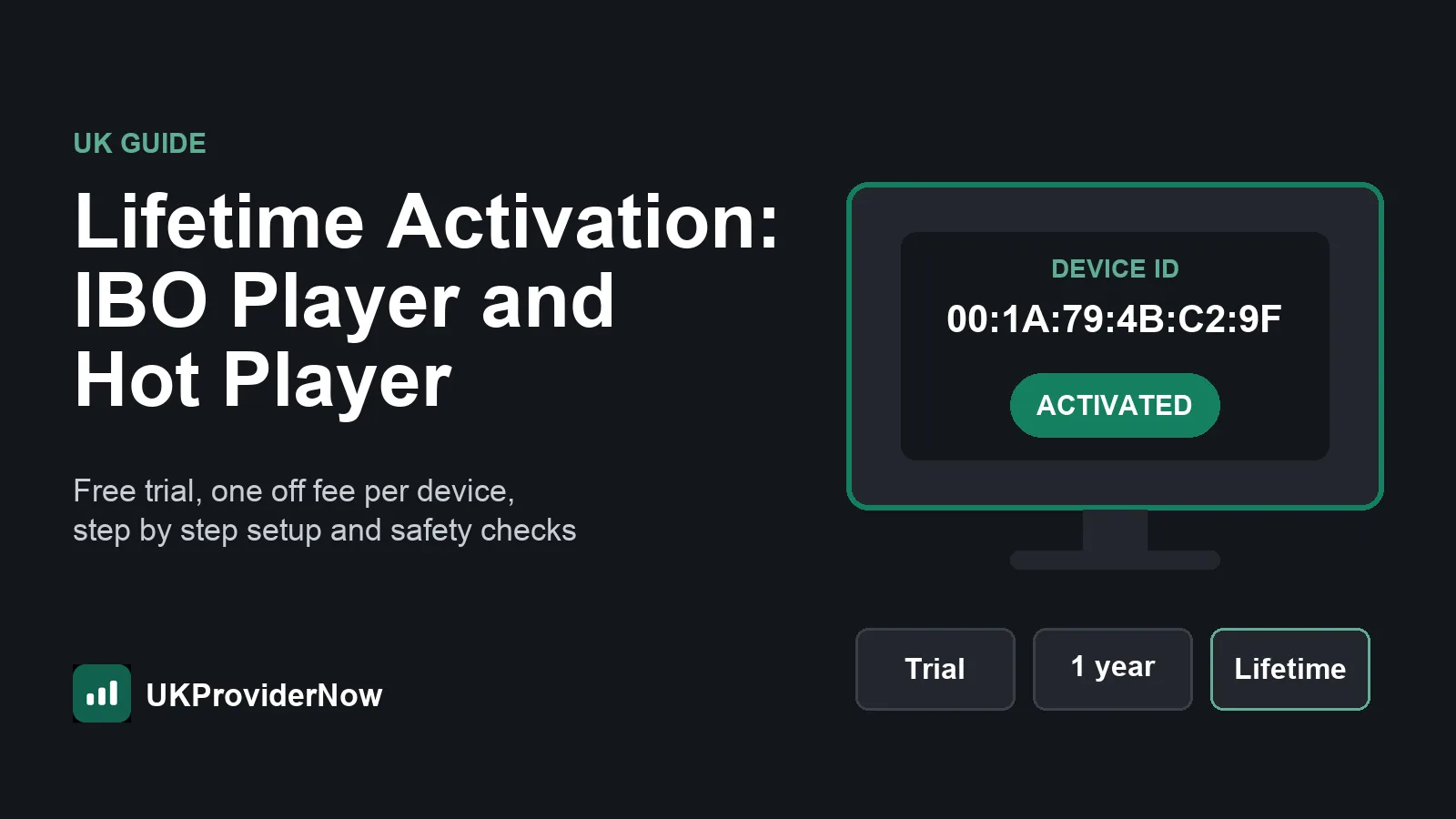
IBO Player is less about Android and more about consistency. The same player runs on Android, Android TV, Firestick, Samsung and LG Smart TVs and Apple devices, so the whole house sees the same menus. On Android it is free to try, then some builds need a one off activation, which we explain in our guide to IBO Player and Hot Player lifetime activation.
See our IBO Player guide.
Which Android IPTV app should you choose?
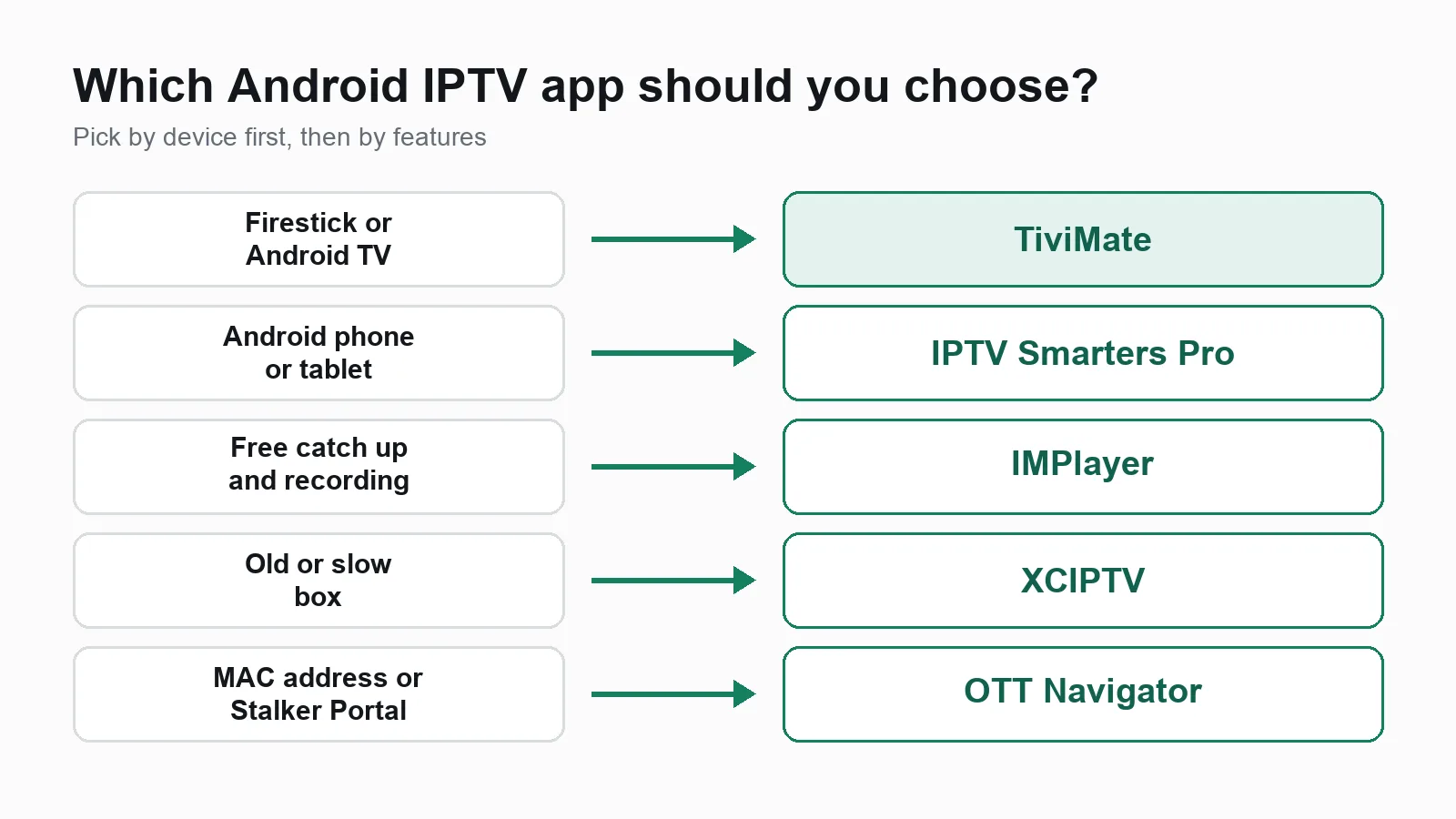
Pick by device first, then by features:
- Firestick, Android TV or Google TV: TiviMate. If you do not want to pay for Premium and need catch up, IMPlayer.
- Android phone or tablet: IPTV Smarters Pro for simplicity, IMPlayer for more features.
- Old Firestick or a cheap Android box that stutters: XCIPTV, and switch its playback engine if a channel struggles.
- Your provider gave you a MAC address or Stalker Portal: OTT Navigator.
- A Samsung or LG TV in the same house: IBO Player everywhere, so everyone learns one app. Our guide to the best IPTV app for Samsung TV covers the TV side.
Not sure which apps run on your exact device? Our IPTV player compatibility checker tells you in seconds.
Phone or TV: why the same app feels different
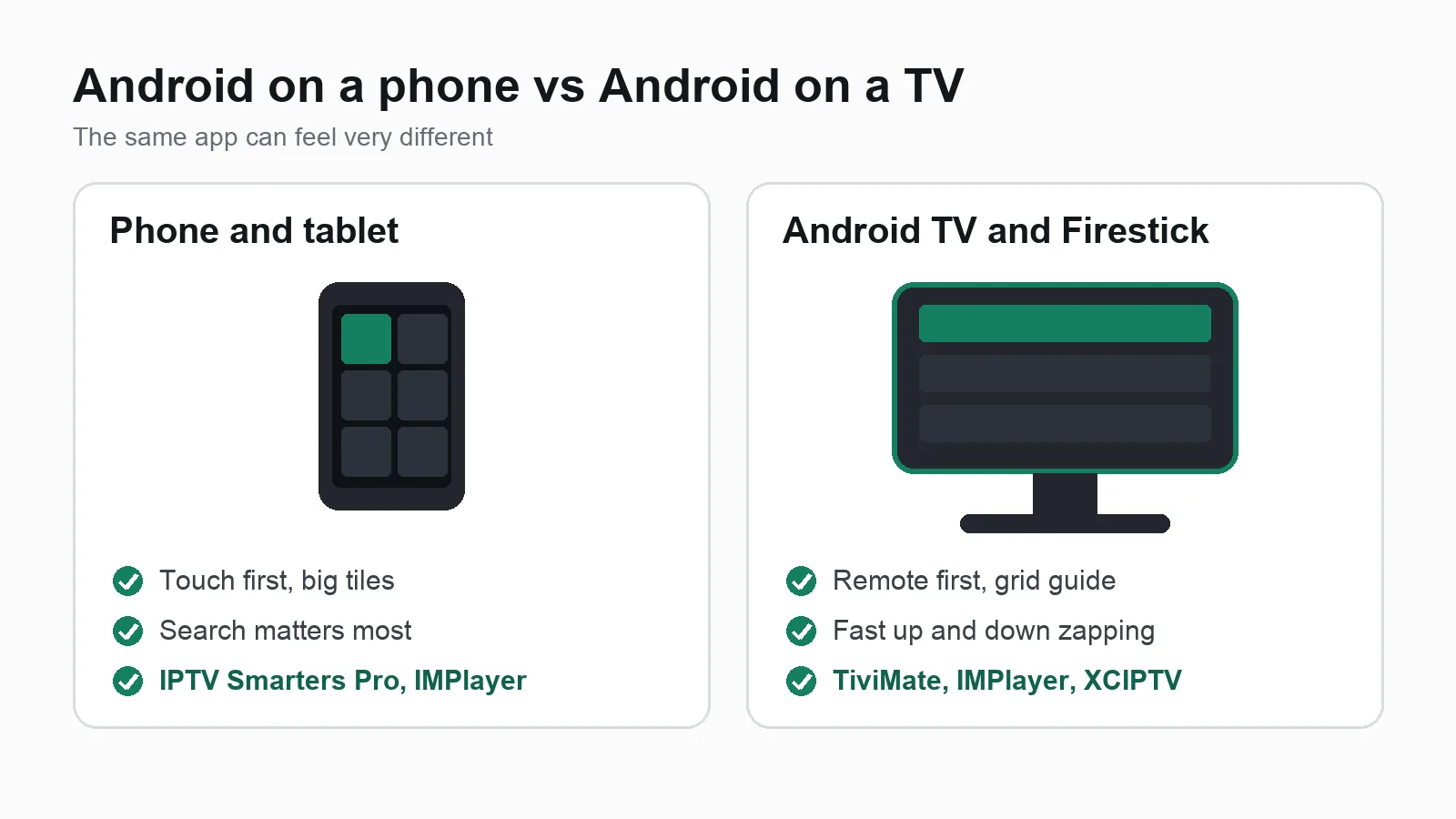
"Android" covers two very different screens:
- Android phones and tablets are touch first. Apps with large tiles and search, like IPTV Smarters Pro and IMPlayer, are easiest here.
- Android TV, Google TV and Fire TV are remote first. Apps with a grid guide and fast up and down zapping, like TiviMate, are easiest here.
Fire TV runs Amazon's own version of Android. It runs the same IPTV apps, but some are not in the Amazon Appstore, so you install them with the free Downloader app instead (steps below).
How to set up an IPTV player on Android
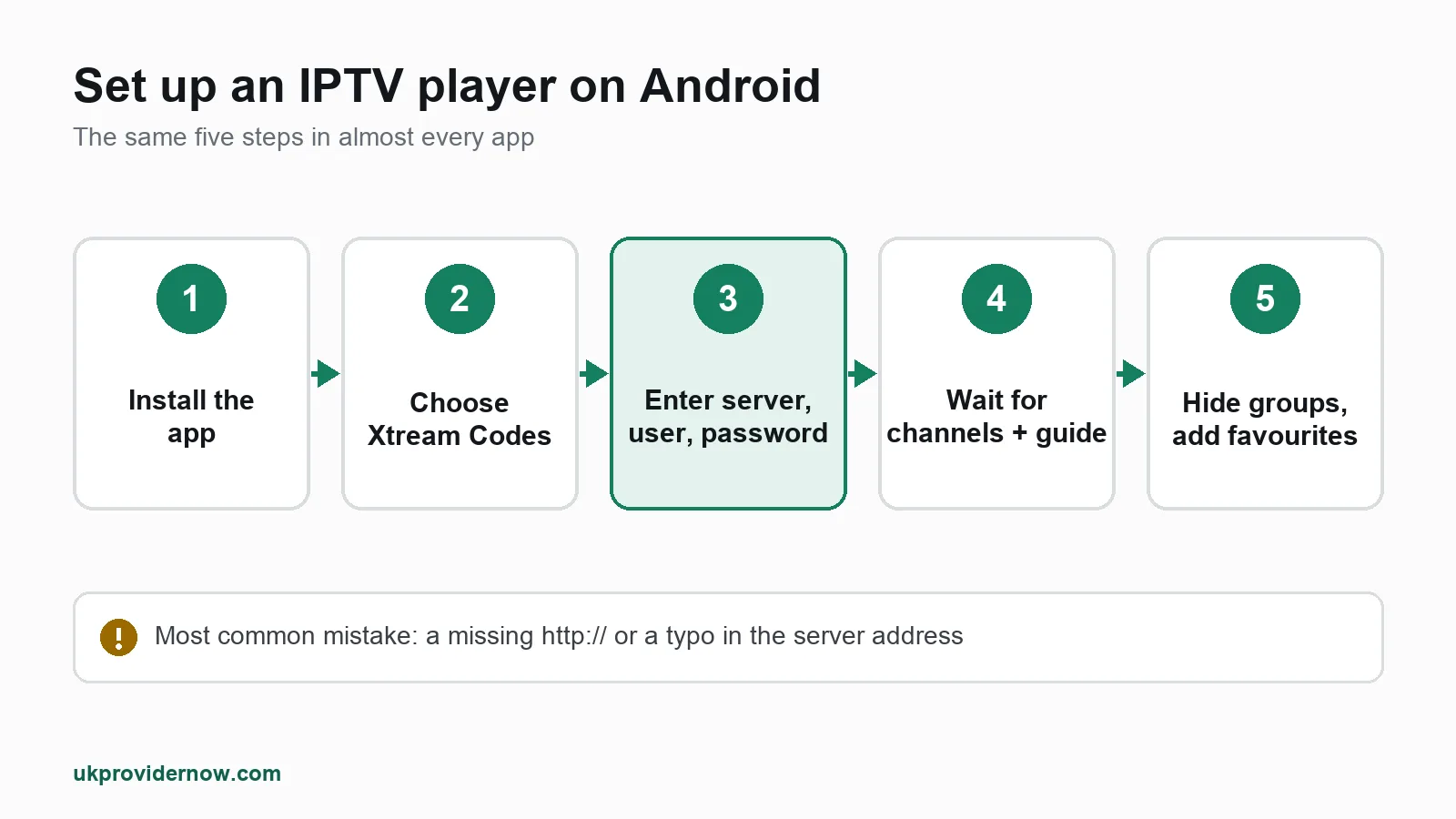
The steps are almost the same in every app:
- Install the app. On Android TV, Google TV and phones, use the Google Play Store. On Fire TV, use the Amazon Appstore, or the Downloader app for players that are not listed there.
- Choose how to log in. Pick Xtream Codes (sometimes called "Xtream Codes API" or "Login with Xtream") if you have a server address, username and password. Pick M3U playlist if you have a single long link.
- Enter your details exactly as your provider sent them. Usernames and passwords are case sensitive, and a missing
http://at the start of the server address is the most common mistake. - Wait for the channels and TV guide to load. The first load can take a minute or two on a big playlist.
- Tidy up. Hide channel groups you never watch and add favourites. It makes zapping much faster.
Installing on a Fire TV Stick: go to Settings, My Fire TV, Developer options and allow apps from unknown sources for Downloader. Open Downloader, type the app's download address or code from its official site, install, then delete the downloaded file to save space. Only download players from their official site or an official app store.
Before you type anything into the app, you can check your login works with our Xtream Codes checker, or test an M3U link with the M3U validator. It saves a lot of guessing if something does not load.
TV guide (EPG) on Android players
With an Xtream Codes login, most players load the TV guide automatically. With an M3U playlist, you usually need to add a separate EPG link (an XMLTV address) in the app's guide settings.
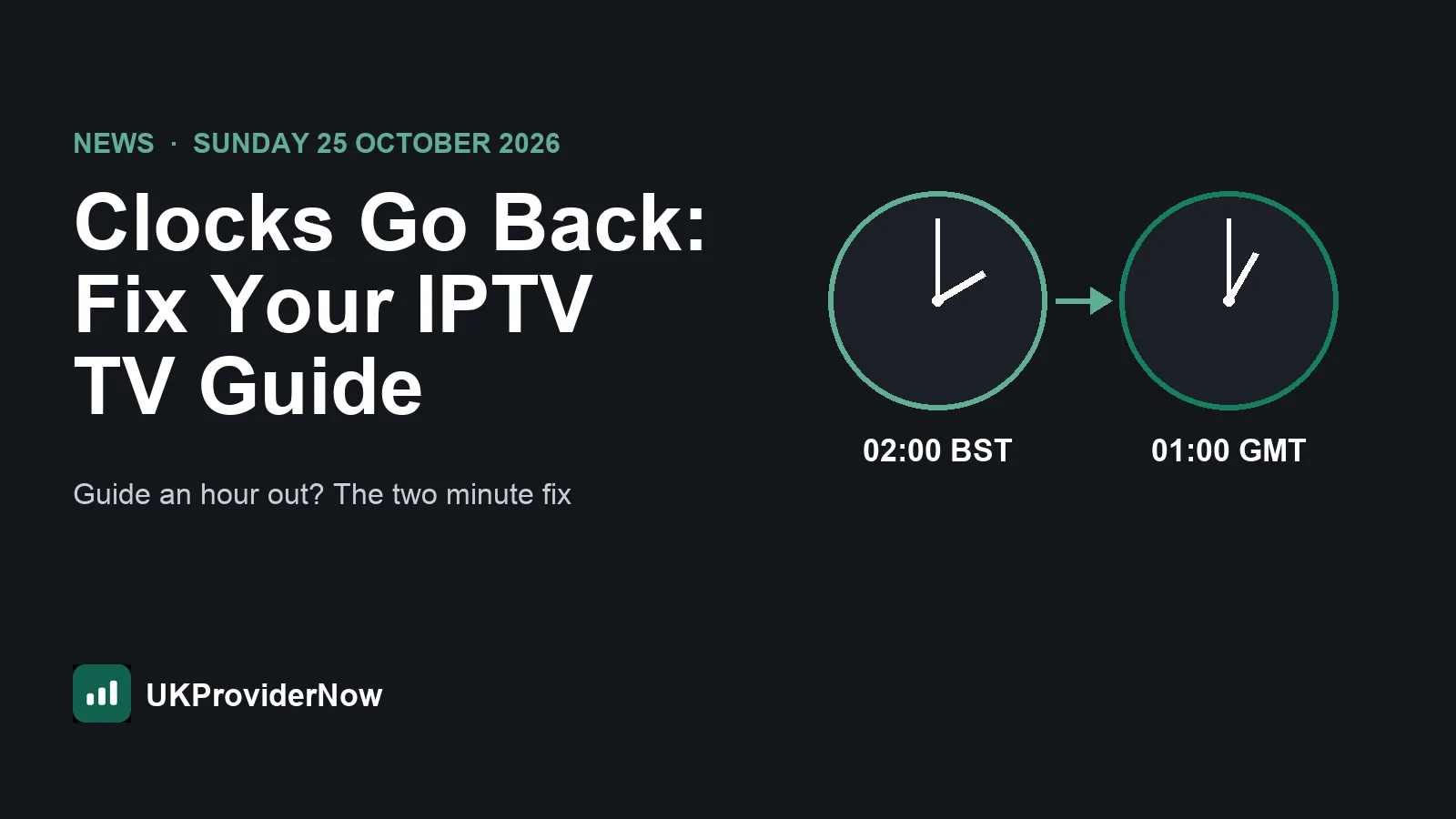
If your guide is empty or an hour out, our full guide to EPG for IPTV explains how to add it in TiviMate, IPTV Smarters and IBO Player, and how to fix the time offset. You can also test a guide link with our EPG validator.
Settings that make any Android IPTV app smoother
A few changes fix most stuttering, whichever app you use:
- Use a wired connection. Ethernet is far more stable than Wi-Fi, and a cheap Ethernet adapter fixes many Firestick buffering problems.
- Raise the buffer size in the player's settings if it has one. A slightly bigger buffer smooths out short dips in your connection.
- Switch the playback engine or decoder (hardware or software) if a channel stutters, freezes or has no sound.
- Hide unused channel groups. Fewer channels means a faster guide and quicker start up on slower boxes.
- Keep the app updated, but from its official source only.
Check your connection at the time you usually watch with our IPTV speed test. As a guide, allow about 10 Mbps per Full HD screen and 25 Mbps per 4K screen, close to Netflix's own speed recommendations. If it still buffers, the IPTV buffering test shows whether the cause is your line, your device or the service.
The player is only half of it
A great app cannot fix a weak subscription. If channels buffer at peak times, the guide is empty or logins stop working, the problem is usually the service, not the player.
UKProviderNow works with every player in this guide. You get one Xtream Codes login that loads 34,000+ live channels in SD to 4K, a full TV guide and 195,000+ movies and series, with built-in VPN and anti-block protection on our servers, so there is nothing extra to install on your Android device. Plans are prepaid with no automatic renewal, every subscription has a 30 day money back guarantee, and our Help Center has setup guides for each app.
Try it in your favourite player first: request a free IPTV trial with no card needed, then compare IPTV subscription plans when you are ready.
Best IPTV player for Android: FAQs
What is the best free IPTV player for Android?
IPTV Smarters Pro and IMPlayer are the best free options. IMPlayer includes catch up and recording where your provider supports them. TiviMate also has a free version, but its best features need the paid Premium unlock.
Is TiviMate better than IPTV Smarters?
On a TV, yes for most people: TiviMate's grid guide and fast zapping feel like a cable box. On a phone, IPTV Smarters Pro is easier to use. Many households use TiviMate on the TV and Smarters on phones with the same login.
Can I use the same IPTV login on two apps?
Yes. You can add the same login to as many apps and devices as you like, but each screen playing at the same time uses one connection from your plan.
Do IPTV players come with channels?
No. Every app in this guide is only a player. Channels, the TV guide, films and series come from your IPTV subscription.
Which IPTV app is best for Firestick?
TiviMate is our first choice on Firestick. IMPlayer is the best free alternative, and XCIPTV is worth trying on older Firestick models.
Do I need a VPN with an IPTV player on Android?
Not with UKProviderNow, because VPN protection and anti-block are built into our servers. With other providers, check what they recommend.
Why does my IPTV app say "invalid login" or "no channels"?
Usually a typo in the server address, username or password, or an expired account. Check it with our Xtream Codes checker, then see our help on channels not loading.
Is it legal to use IPTV player apps?
Yes. The apps are legal media players, just like a video player on a computer. What matters is that the content you watch comes from a service you are entitled to use.
Useful next steps
- IPTV apps and playersEvery player we support, compared.
- TiviMate guideSetup, features and tips for TiviMate.
- IPTV Smarters Pro guideSetup, features and tips for IPTV Smarters Pro.
- IMPlayer guideSetup, features and tips for IMPlayer.
- Player Compatibility CheckerThe best IPTV app for your device.
- EPG ValidatorFix an empty or out-of-date TV guide.
Published by UKProviderNow, a UK IPTV provider. About us · Contact us · Help Center
Questions and comments