
EPG for IPTV: What It Is, How to Add It and How to Fix a Missing TV Guide
EPG for IPTV in plain English: how the TV guide works, Xtream Codes vs M3U, how to add an EPG link in TiviMate, IPTV Smarters and IBO Player, and fixes for an empty guide, wrong times and channels with no information.

Published 8 min read
In this article
EPG for IPTV is the TV guide: the grid that shows what is on each channel now and next, and for the next few days. Without it, a playlist of thousands of channels is just a list of names. This guide explains in plain English how the EPG works, the difference between getting it with an Xtream Codes login and an M3U playlist, how to add it in TiviMate, IPTV Smarters and IBO Player, and how to fix the most common problems: an empty guide, times an hour out, and channels that show "No information".
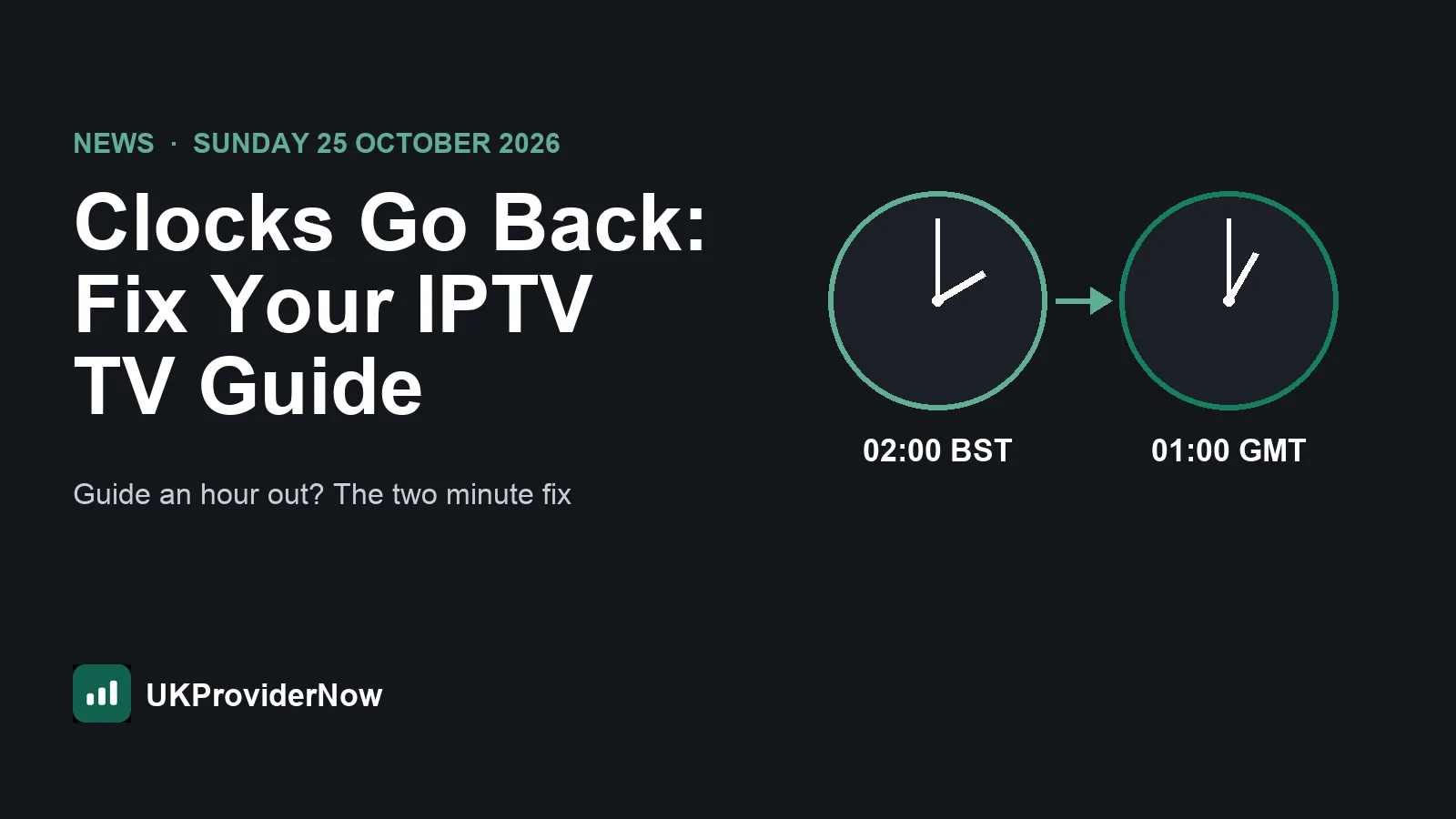
Clocks go back on Sunday 25 October 2026. If your guide is suddenly an hour out after that weekend, jump straight to times are an hour out.
The quick answer
- EPG stands for Electronic Programme Guide. In IPTV it is a file, usually in the XMLTV format, that lists programmes and times for each channel.
- With an Xtream Codes login, most players download the EPG automatically. You usually do nothing.
- With an M3U playlist, you often need to add a separate EPG link (an XMLTV URL) in your player's guide settings.
- Empty guide? Refresh the EPG, wait a few minutes, and check the EPG link is added and working.
- Times wrong? Change the EPG time offset in your player, or check the time zone on your device.
- Some channels blank? Those channels have no matching guide entry. The fix is on the provider's side, or you pick the matching guide channel manually if your player allows it.
You can test any EPG link in seconds with our free EPG validator.
How EPG works in IPTV
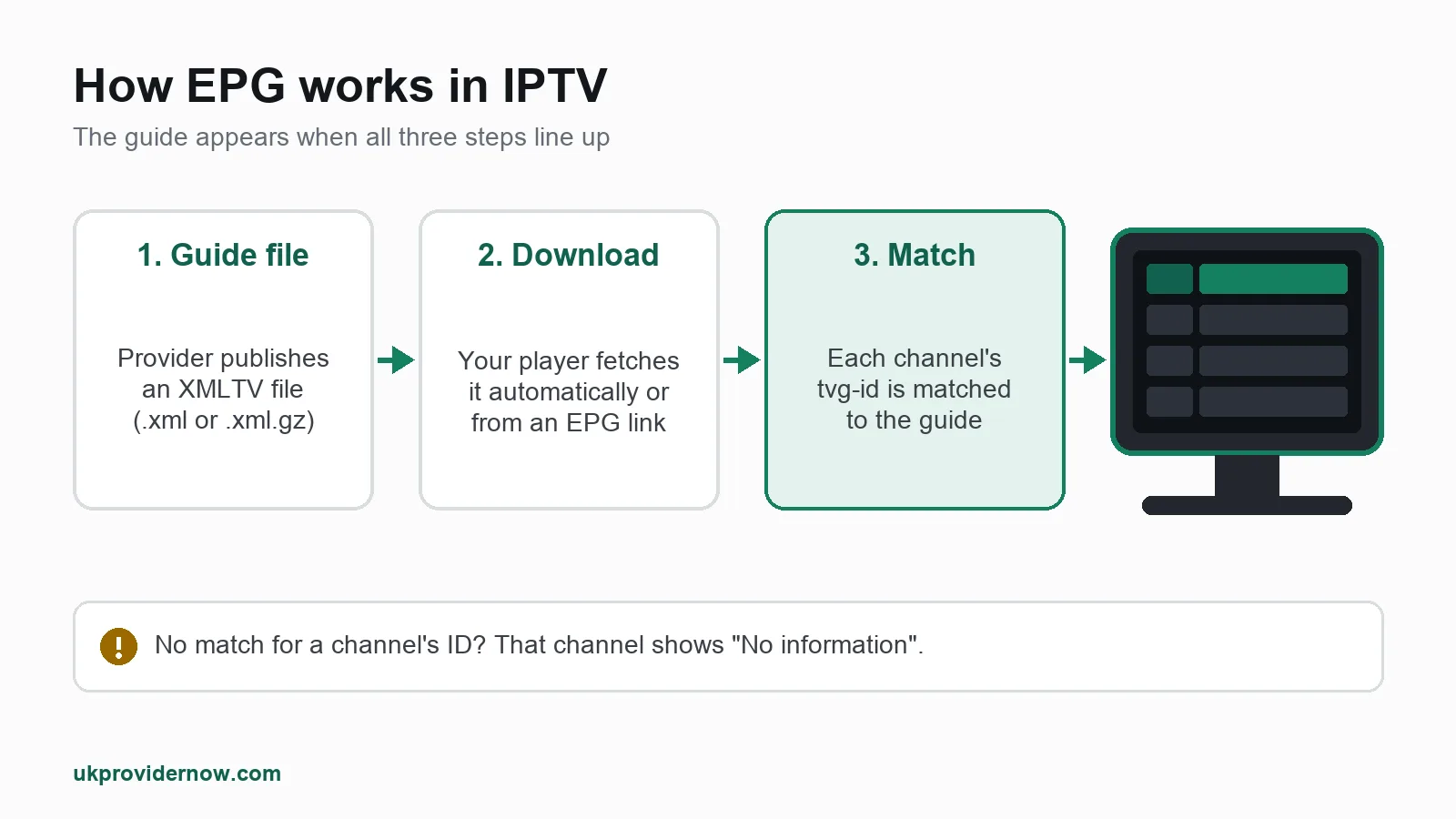
There are three parts, and the guide only appears when all three line up:
- The guide file. Your provider publishes an XMLTV file listing every channel's programmes for the coming days. It is often large, and compressed as
.xml.gz. - The download. Your player downloads that file, either automatically (Xtream Codes) or from a link you add (M3U), and refreshes it every so often.
- The match. Each channel in your playlist has an ID, called
tvg-idin an M3U playlist. The player looks for the same ID in the guide file. When the IDs match, that channel gets its programme listings. When they do not, the channel shows "No information".
Most EPG problems are one of those three parts failing: the file did not download, the player is looking at the wrong file, or the channel IDs do not match.
Xtream Codes vs M3U: how you get the guide
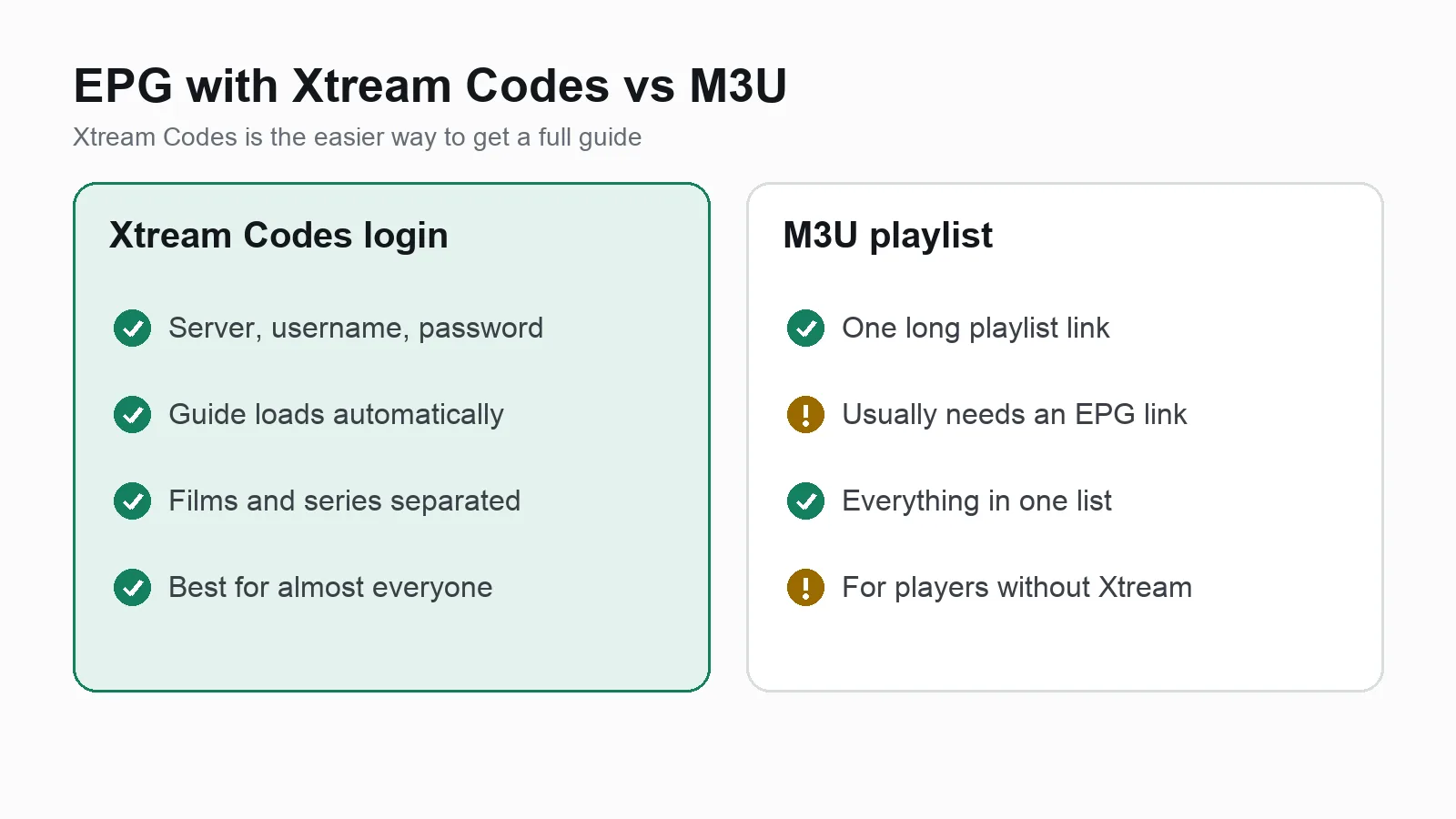
| Xtream Codes login | M3U playlist | |
|---|---|---|
| What you enter | Server, username, password | One long playlist link |
| TV guide | Loads automatically in most players | Usually needs a separate EPG link |
| Films and series | Separate sections | Mixed into the channel list, or missing |
| Best for | Almost everyone | Players without Xtream Codes support |
If your provider gives you an Xtream Codes login, use it. It is the easiest way to get a working guide.
If you need the EPG link for an Xtream Codes account (for example, to add the guide to a player that only takes M3U), most panels publish it at this address, using your own details:
http://your-server:port/xmltv.php?username=YOUR_USERNAME&password=YOUR_PASSWORD
Some M3U playlists also carry the guide link in their first line, as url-tvg="..." or x-tvg-url="...". Many players read it automatically. Our M3U playlist analyzer shows how many of your channels have a tvg-id for the guide to match against.
How to add EPG in popular IPTV players
The menus change a little between versions, but the steps are close to these.
TiviMate
- Xtream Codes: the guide loads automatically when you add the playlist.
- M3U: go to Settings, EPG, Add EPG source, paste the XMLTV link and save. Then choose Update EPG.
- Refresh: in Settings, EPG, set how often the guide updates. Once or twice a day is plenty.
- Wrong channel guide: long press a channel and pick the correct guide channel manually if it is mismatched.
See our TiviMate guide.
IPTV Smarters Pro
- Xtream Codes: the guide downloads when you log in. If it is empty, use the refresh or install EPG option on the home screen or in settings, and wait for it to finish.
- M3U: add the EPG link if your version offers a guide link field, or switch to an Xtream Codes login, which gives the most reliable guide in Smarters.
- Time offset: check the time format and time zone options in settings if listings are an hour out.
See our IPTV Smarters Pro guide.
IBO Player and other Smart TV apps
On Samsung and LG Smart TV apps like IBO Player and Hot Player, you manage your playlist on the app's website, not on the TV. With an Xtream Codes login, the guide comes with it. With an M3U playlist, look for an EPG URL field next to the playlist on the website, add the XMLTV link, then restart the app on the TV.
See our IBO Player guide, and our guide to the best IPTV app for Samsung TV for the full setup.
Other Android players
OTT Navigator, IMPlayer, XCIPTV and Televizo all load the guide automatically with Xtream Codes, and all have an EPG or "TV guide sources" option in settings for M3U. Our guide to the best IPTV player for Android compares them.
How to fix common EPG problems
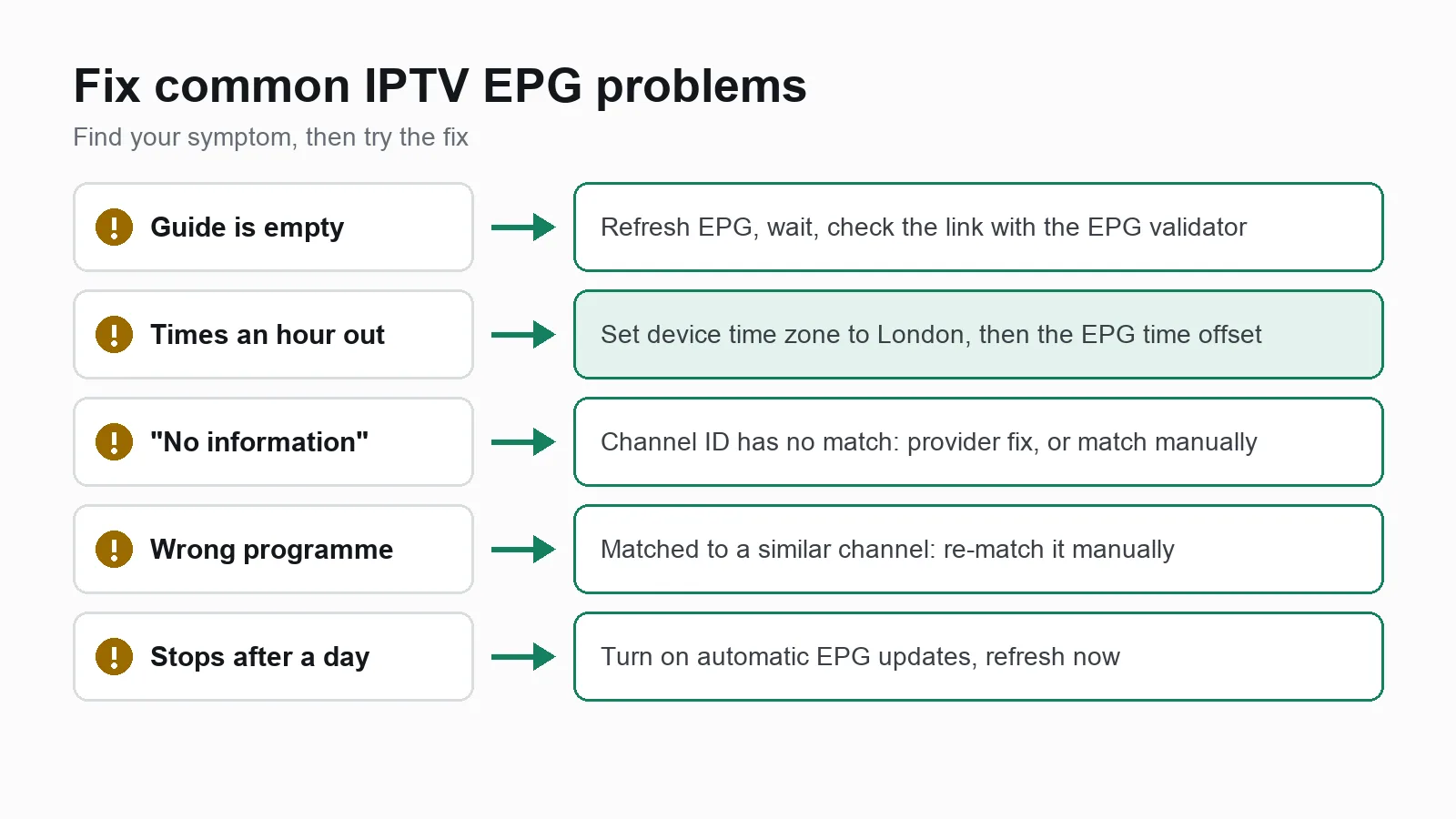
The TV guide is completely empty
- Wait a few minutes. A full guide file can be large, and the first download takes a while, especially on a Firestick or Smart TV.
- Refresh the EPG in your player's settings.
- Check the EPG link is added, if you use an M3U playlist.
- Test the link with our EPG validator. If it does not load there, the problem is the link or the provider, not your player.
- Check your login is active with the Xtream Codes checker. An expired account often shows channels from cache but no guide.
The times are an hour out
This is the most common EPG problem in the UK, and it usually appears just after the clocks change at the end of March or the end of October.
- Check your device's time zone is set to London (or set to update automatically). The guide file stores times with an offset, and your device converts them.
- Set the EPG time offset in your player. Most players have a setting called EPG time shift or time offset. Set it to plus or minus one hour, whichever lines the guide up with what is actually on.
- Remember to set it back when the clocks change again, unless the problem was your device's time zone.
Some channels say "No information"
The guide has downloaded, but those channels do not have a matching ID in the guide file. Common reasons:
- The provider has no listings for that channel (common for small international or event channels).
- The channel's
tvg-idin the playlist does not match the ID in the guide. - You added a guide from a different source than your playlist.
The fix is usually on the provider's side. Some players, including TiviMate, let you pick the correct guide channel manually.
The guide shows the wrong programme
The channel has been matched to the wrong guide entry, often a channel with a similar name, such as an HD and SD version or a regional variant. Use your player's manual match option, or report it to your provider.
The guide stops after a day or two
Your player has not refreshed the guide. Check the automatic update setting and refresh it manually. Most providers publish a few days ahead and update the file every day.
Still stuck? Our Help Center has a short checklist for an empty or wrong guide.
How much EPG data does a guide use?
A full guide for thousands of channels can be tens of megabytes compressed, more when unpacked. That is why the first load is slow on low memory devices, and why a guide sometimes fails to load on an older Firestick or Smart TV.
To keep it fast:
- Hide channel groups you never watch. Many players then skip their guide data.
- Do not add several guide sources that cover the same channels.
- Refresh once or twice a day, not every hour.
EPG and catch up
Catch up (also called archive or TV replay) depends on the EPG. When a channel supports catch up, your player shows past programmes in the guide, often with a small rewind icon, and you pick one to watch it. If the guide is missing, catch up does not work either, even when the channel supports it. Fix the guide first.
A working TV guide with UKProviderNow
With UKProviderNow you get a single Xtream Codes login that loads 34,000+ live channels with a full TV guide into TiviMate, IPTV Smarters, IBO Player and every other player in this guide. There is no separate guide link to find, and nothing to set up beyond your login.
Plans are prepaid with no automatic renewal, every subscription has a 30 day money back guarantee, and our servers have built-in VPN and anti-block protection. If the guide ever looks wrong, our Help Center and WhatsApp support are there, or our TV setup help team can check it remotely.
See the guide for yourself: request a free IPTV trial with no card needed, then compare IPTV subscription plans.
EPG for IPTV: FAQs
What does EPG mean in IPTV?
EPG means Electronic Programme Guide. It is the TV guide that shows what is on each channel now and over the next few days. For more background, see electronic programme guide on Wikipedia.
Where do I get an EPG link for IPTV?
From your IPTV provider. With an Xtream Codes account, the guide usually loads automatically, and the link is normally your server address followed by /xmltv.php with your username and password. Free public guides exist, but their channel IDs rarely match a paid playlist.
Why is my IPTV TV guide empty?
The guide has not downloaded yet, the EPG link is missing or broken, or your account has expired. Refresh the guide, wait a few minutes, then test the link with our EPG validator.
Why is my IPTV guide one hour behind?
Usually because the clocks changed, or your device's time zone is wrong. Set your device to the London time zone, then use your player's EPG time offset setting if it is still out.
Does EPG use a lot of data?
Not much compared to streaming. A full guide is tens of megabytes compressed per refresh, about the same as a minute or two of HD video.
Is XMLTV the same as EPG?
XMLTV is the file format most IPTV guides use. EPG is the guide itself. When a player asks for an "EPG URL" or "XMLTV URL", it means the same thing: the link to the guide file.
Can I use one EPG for two IPTV providers?
You can add more than one guide source in most players, but each guide only fills channels whose IDs match it. The guide from your own provider is almost always the best match.
Useful next steps
- M3U ValidatorCheck a playlist link or file works.
- Xtream Codes CheckerTest a login, expiry date and connections.
- EPG ValidatorFix an empty or out-of-date TV guide.
- IPTV apps and playersEvery player we support, compared.
- Help CenterSetup guides and fixes for common problems.
- TV setup helpBook a specialist to set up your TV.
Published by UKProviderNow, a UK IPTV provider. About us · Contact us · Help Center
Questions and comments