
IPTV Player Compatibility Checker
Which IPTV app works on your device? Pick it below to see compatible player apps, the login types they accept and how to install them.
Fire TV Stick / Fire TV Cube: works with M3U and Xtream Codes
The most popular IPTV device in the UK. The Fire TV Stick 4K Select runs Vega OS rather than Android, so check your chosen app is available before buying that model.
How apps are installed: Amazon Appstore for some apps; others are installed with the Downloader app after allowing unknown apps in Developer options.
Compatible player apps (tap for a setup guide):
- TiviMate · M3U playlists, Xtream Codes API
- IPTV Smarters Pro · Xtream Codes API, M3U playlists
- XCIPTV · M3U playlists, Xtream Codes API
- OTT Navigator · M3U playlists, Xtream Codes API, Stalker Portal
- IMPlayer · M3U playlists, Xtream Codes API
- Televizo · M3U playlists, Xtream Codes API
- Sparkle TV · M3U playlists, Xtream Codes API, XMLTV EPG feeds
- IBO Player · M3U playlists, Xtream Codes API
Android TV / Google TV (incl. NVIDIA Shield, Chromecast with Google TV): works with M3U and Xtream Codes
The widest choice of TV-friendly players, and usually the smoothest setup. Many Sony, TCL and Philips TVs run Google TV built in.
How apps are installed: Google Play Store, directly on the device.
Compatible player apps (tap for a setup guide):
- TiviMate · M3U playlists, Xtream Codes API
- OTT Navigator · M3U playlists, Xtream Codes API, Stalker Portal
- Sparkle TV · M3U playlists, Xtream Codes API, XMLTV EPG feeds
- Televizo · M3U playlists, Xtream Codes API
- IMPlayer · M3U playlists, Xtream Codes API
- XCIPTV · M3U playlists, Xtream Codes API
- IPTV Smarters Pro · Xtream Codes API, M3U playlists
- IBO Player · M3U playlists, Xtream Codes API
Samsung Smart TV (Tizen): works with M3U and Xtream Codes (app-dependent)
Fewer apps than Android. If the TV is more than a few years old, its store may no longer get app updates, and a Fire TV Stick is the more reliable option.
How apps are installed: Samsung's own app store on the TV. Many players need a one-off activation through the developer's website using the TV's MAC address.
Compatible player apps (tap for a setup guide):
- IBO Player · M3U playlists, Xtream Codes API
- Flix IPTV · M3U playlists
- Smart IPTV · M3U playlists, loaded via the developer's siptv.app/mylist portal
Next: Smart TV IPTV checker
LG Smart TV (webOS): works with M3U and Xtream Codes (app-dependent)
Similar choice to Samsung. Older webOS versions may not get new app releases.
How apps are installed: LG Content Store on the TV, with activation on the developer's website for most players.
Compatible player apps (tap for a setup guide):
- IBO Player · M3U playlists, Xtream Codes API
- Flix IPTV · M3U playlists
- Smart IPTV · M3U playlists, loaded via the developer's siptv.app/mylist portal
Next: Smart TV IPTV checker
Apple TV: works with M3U and Xtream Codes
A smaller selection than Android TV, but well-supported players are available.
How apps are installed: App Store on the Apple TV.
Compatible player apps (tap for a setup guide):
- IPTV Smarters Pro · Xtream Codes API, M3U playlists
- IBO Player · M3U playlists, Xtream Codes API
iPhone / iPad: works with M3U and Xtream Codes
Good for watching on the go. Remember mobile data use: an hour of HD is about 1.5 GB.
How apps are installed: App Store.
Compatible player apps (tap for a setup guide):
- IPTV Smarters Pro · Xtream Codes API, M3U playlists
- IMPlayer · M3U playlists, Xtream Codes API
- IBO Player · M3U playlists, Xtream Codes API
- Flix IPTV · M3U playlists
Android phone / tablet: works with M3U and Xtream Codes
The widest app choice of any platform, including phone versions of most TV players.
How apps are installed: Google Play Store.
Compatible player apps (tap for a setup guide):
- TiviMate · M3U playlists, Xtream Codes API
- OTT Navigator · M3U playlists, Xtream Codes API, Stalker Portal
- XCIPTV · M3U playlists, Xtream Codes API
- Televizo · M3U playlists, Xtream Codes API
- IPTV Smarters Pro · Xtream Codes API, M3U playlists
- IBO Player · M3U playlists, Xtream Codes API
- Flix IPTV · M3U playlists
Windows PC / Mac: works with M3U and Xtream Codes
VLC media player can also open an M3U link directly for a quick test, without a TV guide.
How apps are installed: Download from the app developer's website or the Microsoft/Mac store.
Compatible player apps (tap for a setup guide):
- IPTV Smarters Pro · Xtream Codes API, M3U playlists
- Televizo · M3U playlists, Xtream Codes API
Roku / Roku TV: no full IPTV player available
Roku's channel store doesn't offer full IPTV players that accept M3U or Xtream Codes logins. The practical option is plugging a Fire TV Stick or Google TV device into a spare HDMI port.
How apps are installed: Not applicable.
An IPTV player compatibility checker tells you which player apps you can install on your device, and whether they'll accept the kind of login your provider gave you. An IPTV subscription is just a login; you need a separate player app to watch it, and not every app runs on every device. For each device this checker shows:
- The login types it can use: M3U playlist, Xtream Codes, or both.
- Compatible player apps, each linked to a step-by-step setup guide.
- How apps get onto the device: app store, Downloader, or activation on a website.
- Device-specific gotchas, like Smart TV app activation and Fire TV models that can't sideload.
How to use the checker
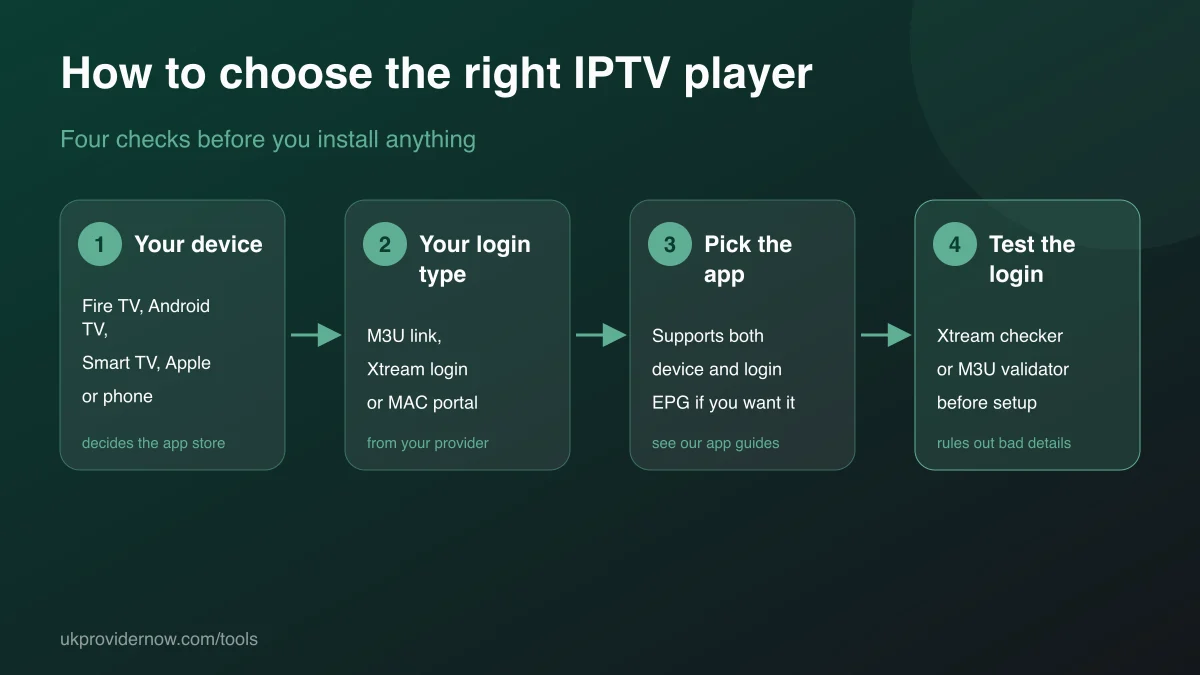
- Choose the device you'll watch on from the list. If you have several, check each one: the best app often differs.
- Check the login types it supports against what your provider sent you: a link, or a server, username and password.
- Pick an app from the list and open its guide for installation and setup steps.
- Before setting up, test your login with the Xtream Codes Checker or the M3U validator, so you know any problem is with the app, not the login.
M3U, Xtream Codes or MAC portal: which do you have?
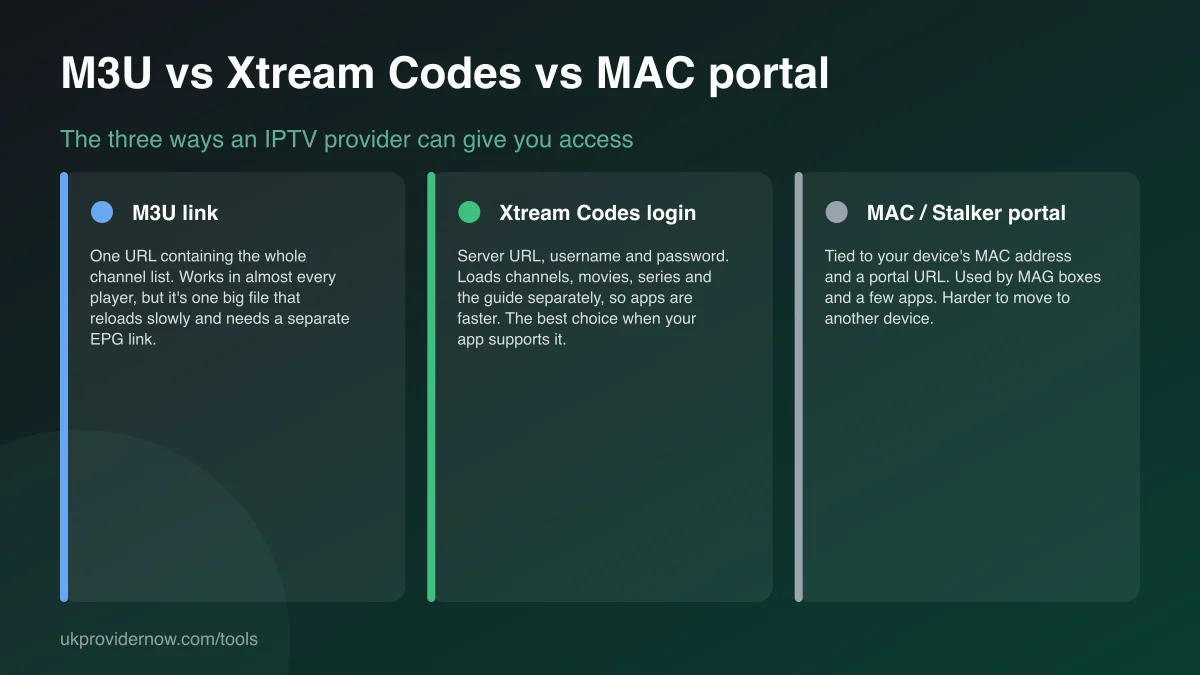
M3U link: a single web address, often ending in .m3u or containing get.php. Every player accepts it. Xtream Codes login: a server address, username and password; faster in the apps that support it, and the one to use when you can. MAC or Stalker portal: tied to a device's MAC address and a portal URL. It's used by MAG boxes and a few apps, and is harder to move between devices.
If you have a get.php link with username= and password= in it, you have both: the link works as an M3U, and the parts inside it are an Xtream Codes login.
Choosing the right player
On a TV, the TV guide layout matters most, since you'll use it every day. TiviMate's grid guide is the reference on Android and Fire TV. If you want films and series browsing as well as live TV, IPTV Smarters Pro and IMPlayer organise on-demand content well. On Samsung and LG TVs, the choice comes down to which apps are in your TV's store and whether you're happy with a one-off activation fee. Read our IPTV app guides for a full comparison, and our device guide if you're choosing new hardware.
Common compatibility problems
The app isn't in my TV's store. Availability varies by country and TV model year. A Fire TV Stick or Google TV device plugged into the TV solves it for any TV with HDMI.
The app installs but won't accept my login. Check the app supports your login type. Some Smart TV players only take M3U links, so enter your Xtream details as a get.php link instead.
The app is slow with a big playlist. Low-power devices struggle with lists of tens of thousands of channels and films. An Xtream login usually loads faster than an M3U link on the same device.
Limitations
This is a reference guide built from each app's published platform support, not a live test of your device. App availability changes over time and can differ by region and TV model year. Nothing you select is stored.
Frequently asked questions
What is the best IPTV player app?
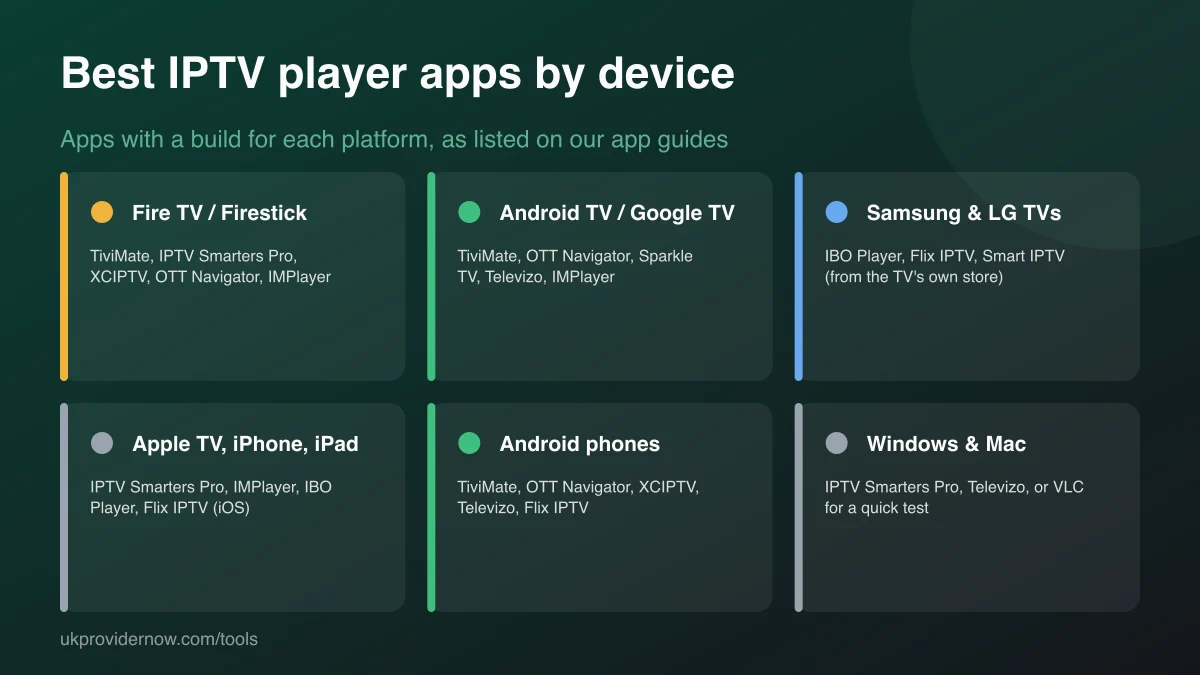
It depends on your device and login type. On Fire TV and Android TV, TiviMate and OTT Navigator are popular for their TV guide layouts; IPTV Smarters Pro is the most widely available across devices; on Samsung and LG TVs the choice is mainly IBO Player, Flix IPTV and Smart IPTV. Choose your device above to see the options.
What's the difference between an M3U link and an Xtream Codes login?
An M3U link is a single web address for the whole channel list. An Xtream Codes login is a server address, username and password, which lets the app load channels, films, series and the TV guide separately. Xtream logins usually load faster and stay up to date better, so use one when your app supports it.
Can I use the same IPTV login in two different apps?
Yes, the login isn't tied to one app. But most subscriptions limit how many streams can play at once, so watching in two apps at the same time counts as two connections.
Why do some Smart TV apps ask for a MAC address?
Apps such as Smart IPTV, Flix IPTV and IBO Player link your playlist to the TV using its MAC address, shown in the app. You enter that MAC and your playlist on the developer's website, and the app downloads it. It's how those apps are activated, not part of your IPTV subscription.
Do I need a Firestick if I have a Smart TV?
Not always. Samsung and LG TVs can run IPTV players from their own stores, and Google TV models have the full Play Store. A Firestick is the better choice when your TV's store has no suitable app, the TV is too old for app updates, or you want a faster, more responsive TV guide.
Does this tool test my device?
No. It's a reference guide based on each app's published platform support, not a live test. To test your connection on the device, use the IPTV speed test; to test your login, use the Xtream Codes Checker or M3U validator.
Related tools
Last updated