
Firestick IPTV Setup Checker
Get IPTV working on your Fire TV Stick. Test the Firestick's connection, tick through the setup checklist, and fix the errors people run into most.
1. Test the Firestick's connection
For the most accurate result, open this page in the Firestick's Silk browser. Testing on a phone only tells you about the phone's Wi-Fi.
2. Setup checklist
The Firestick IPTV setup checker helps you install and troubleshoot IPTV on an Amazon Fire TV Stick, Fire TV Cube or Fire TV Edition TV. Most Firestick IPTV problems come down to a handful of settings, the Wi-Fi connection or the login details. This tool covers all three:
- A real connection test of the Firestick's own internet: speed, ping and jitter, with a verdict for HD, Full HD and 4K.
- A setup checklist of the settings IPTV needs on Fire OS, which remembers your ticks on this device.
- Fixes for the common errors, from "App not installed" to a missing Developer options menu.
How to set up IPTV on a Firestick
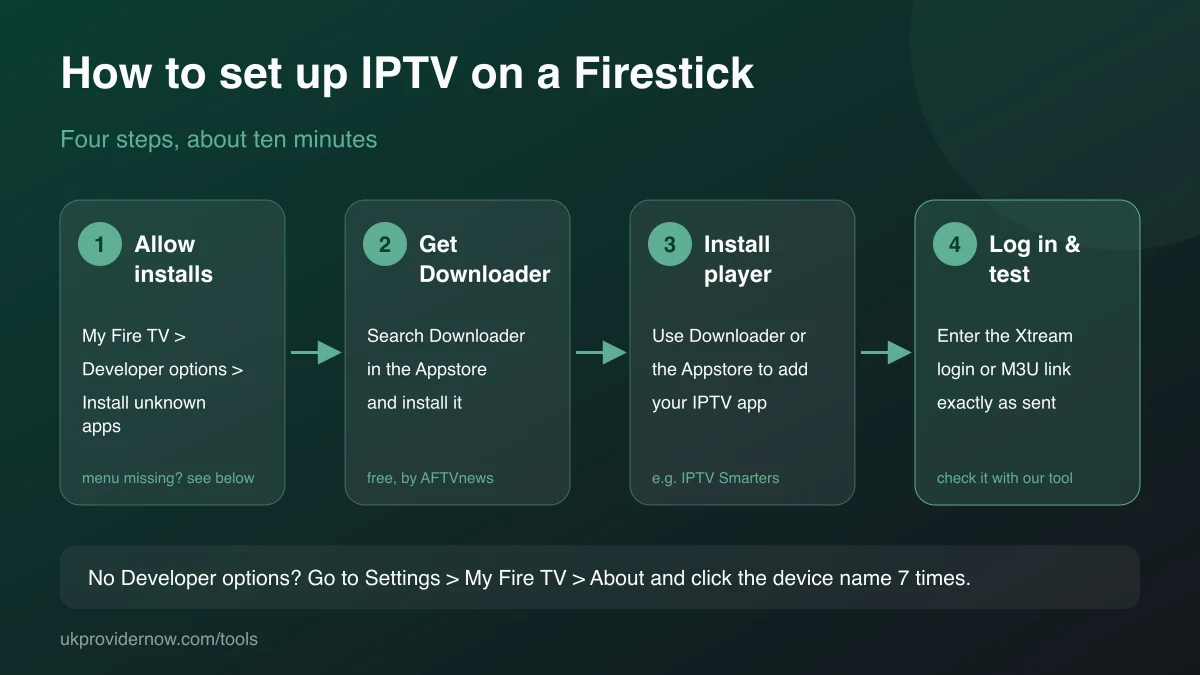
- Unlock Developer options. Go to Settings → My Fire TV → About and click the device name seven times. You'll see "You are now a developer".
- Install Downloader. Search for "Downloader" on the Fire TV home screen and install the free app by AFTVnews.
- Allow installs from Downloader. Settings → My Fire TV → Developer options → Install unknown apps, and switch Downloader on.
- Install your player app. Some, like IPTV Smarters Pro, are in the Amazon Appstore. For others, type the developer's official download address into Downloader. See our IPTV app guides for each app.
- Log in. Open the player and enter your Xtream Codes server, username and password, or your M3U link, exactly as your provider sent them. Test them first with the Xtream Codes Checker.
Best IPTV apps for Firestick
TiviMate is the most popular choice for a traditional TV guide.IPTV Smarters Pro is the simplest to set up and browses films and series well.XCIPTV, OTT Navigator andIMPlayer are strong alternatives. All accept Xtream Codes and M3U. Theplayer compatibility checker compares them with apps for other devices.
Common Firestick IPTV problems and fixes
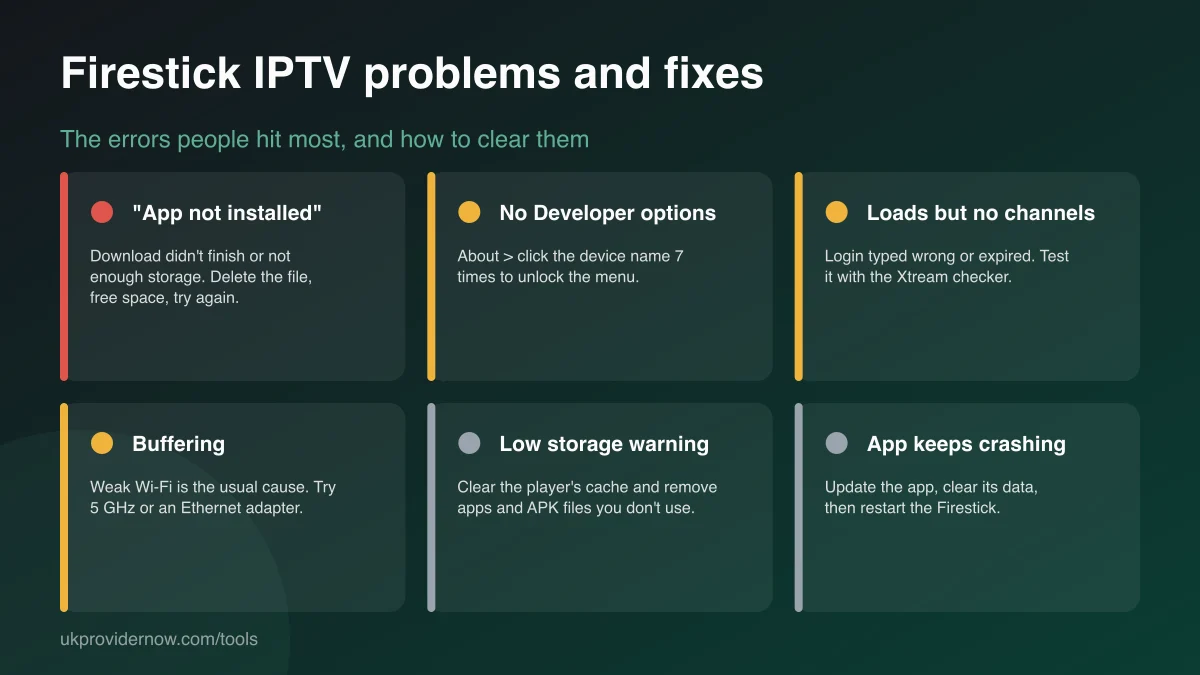
"App not installed". The download was incomplete, storage is full, or unknown-app installs aren't allowed for Downloader. Delete the file in Downloader, free up space and try again.
The app opens but shows no channels. Almost always a login issue: a typo, an extra space, a missing port number in the server address, or an expired subscription. The Xtream Codes Checker shows which.
Constant buffering. The Firestick's small internal antenna sits behind the TV, where Wi-Fi is weakest. Run the connection check above on the Firestick. If jitter is high or speed low, use 5 GHz Wi-Fi, an HDMI extender cable to move the stick out from behind the TV, or an Ethernet adapter. The IPTV buffering test goes deeper.
"Low storage" warnings and slowness. Big playlists and EPG data fill the cache. Clear the player app's cache under Settings → Applications → Manage installed applications, and uninstall apps and APK files you don't need.
The app keeps crashing. Update it, clear its data (you'll need to log in again), then restart the Firestick by holding Select and Play for five seconds.
Which Firestick is best for IPTV?
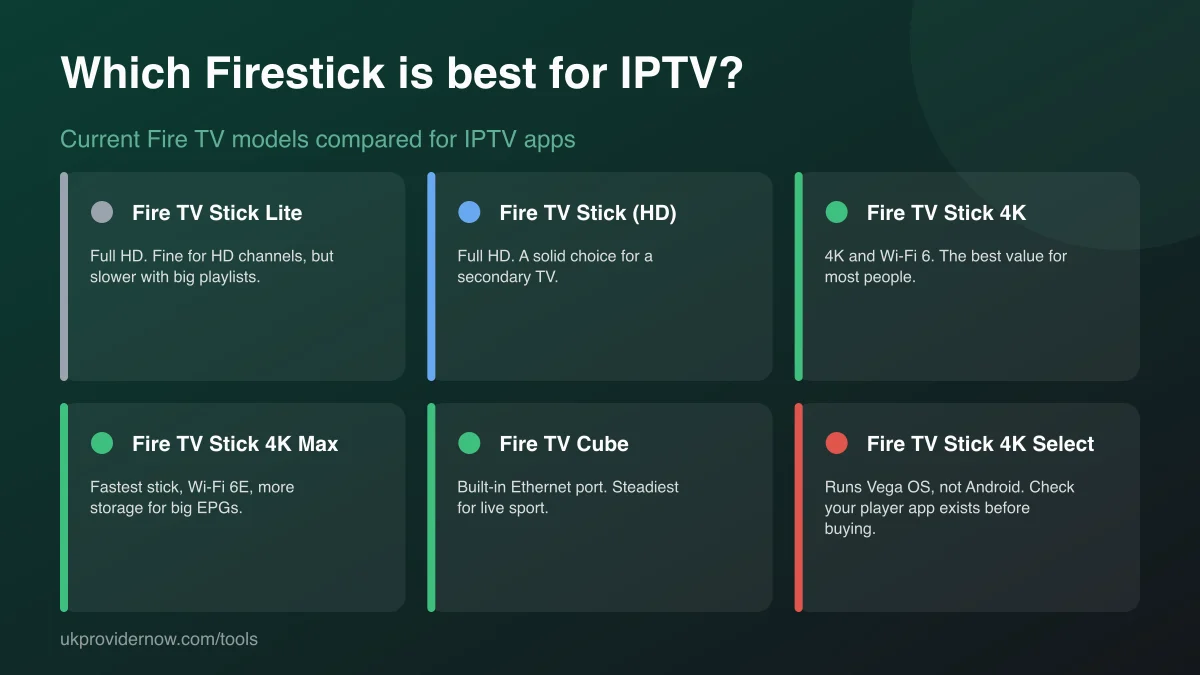
For most people the Fire TV Stick 4K is the sweet spot: fast enough for big TV guides, with Wi-Fi 6 and 4K support. The 4K Max adds speed and storage, and the Fire TV Cube's built-in Ethernet port makes it the steadiest choice for live sport. The Lite and HD sticks are fine for HD on a second TV. Be careful with the Fire TV Stick 4K Select: it runs Amazon's Vega OS instead of Android-based Fire OS, so Android IPTV apps can't be installed on it the usual way. Our device guide compares Firesticks with other streaming devices.
Limitations and privacy
The connection check measures the route from the Firestick to our servers, not to your IPTV provider's servers. It confirms your own Wi-Fi and broadband are good enough, but can't see a busy IPTV server. Checklist ticks are saved only in this browser on this device, so you can come back to it. Nothing is sent to us or stored on our side.
Frequently asked questions
How do I install IPTV on a Firestick?
Allow app installs in Developer options, install the free Downloader app from the Amazon Appstore, use it to install your chosen IPTV player (or get the player from the Appstore if it's listed there), then open the player and enter your Xtream Codes login or M3U link. The checklist on this page walks through each step.
Why can't I find Developer options on my Fire TV Stick?
Amazon hides it on newer Fire OS versions. Go to Settings, My Fire TV, About, then click the device name (for example "Fire TV Stick 4K") seven times until a message says you're a developer. Developer options then appears under My Fire TV.
Why does my Firestick say "App not installed"?
Usually the download didn't finish, there isn't enough free storage, or the file is for a different device type. Delete the downloaded file, free up at least 1 GB of storage, and download it again. Also check Install unknown apps is turned on for Downloader.
What's the best IPTV app for Firestick?
TiviMate, IPTV Smarters Pro, XCIPTV, OTT Navigator and IMPlayer all run well on Fire TV. TiviMate is known for its TV guide; IPTV Smarters Pro is the easiest to set up and handles films and series well. Our app guides cover setup for each.
What internet speed does a Firestick need for IPTV?
About 6 Mbps for HD, 10 Mbps for Full HD and 25 Mbps for 4K, measured on the Firestick itself. Run the connection check on this page from the Firestick's Silk browser to measure the Firestick's own Wi-Fi, not your phone's.
Which Firestick is best for IPTV?
The Fire TV Stick 4K and 4K Max give the best balance of speed, Wi-Fi and storage. The Fire TV Cube adds a built-in Ethernet port, which is the most stable option for live sport. Note that the Fire TV Stick 4K Select runs Vega OS rather than Android, so check your IPTV app is available for it before buying.
How do I stop IPTV buffering on a Firestick?
Restart the Firestick, switch to 5 GHz Wi-Fi or an Ethernet adapter, clear the player app's cache and free up storage. If buffering continues with a good connection result, the provider's server is the likely cause. The IPTV buffering test narrows it down.
Is the Downloader app safe?
Downloader, by AFTVnews, is a free app in the Amazon Appstore that fetches files from web addresses you type in. The app itself is widely used; what matters is only downloading player apps from their official developer websites.
Related tools
Last updated