
Best IPTV for Sports: How to Choose a UK Service That Won't Buffer
What separates the best IPTV for sports from the rest: peak time stability, picture quality, apps, devices, speed, how to test during a live match, and why UKProviderNow is built for it.

Published 12 min read
In this article
- The quick answer
- Why live sport is the hardest test for any IPTV service
- What to look for in a sports IPTV service
- Best IPTV app for sports
- Best device for watching sport on IPTV
- Internet speed for live sport
- How to test a sports IPTV service before you pay
- Red flags when buying IPTV for sport
- Why UKProviderNow is built for sport
- How to stop buffering during a match
- Best IPTV for sports: FAQs
- What is the best IPTV for sports in the UK?
- Can I watch sport in 4K with IPTV?
- Why does IPTV buffer during football?
- Do I need a VPN for sports IPTV?
- What is the best IPTV app for sports?
- Can I watch two matches at the same time?
- Is IPTV behind live TV?
- Can I try before I buy?
- Should I choose monthly or a longer plan for sport?
The best IPTV for sports is the one that stays smooth at 3pm on a Saturday, when millions of people press play at the same moment. Plenty of services look the same on paper, with big channel counts, 4K badges and low prices, but live sport is where the difference shows. This guide explains what really separates a good sports IPTV service from a bad one, the apps, devices and internet speed you need, how to test a service during a live match before you pay, and why we built UKProviderNow the way we did.
We wrote it from setting up IPTV for UK sports fans, and from the questions they ask us every weekend.
The quick answer
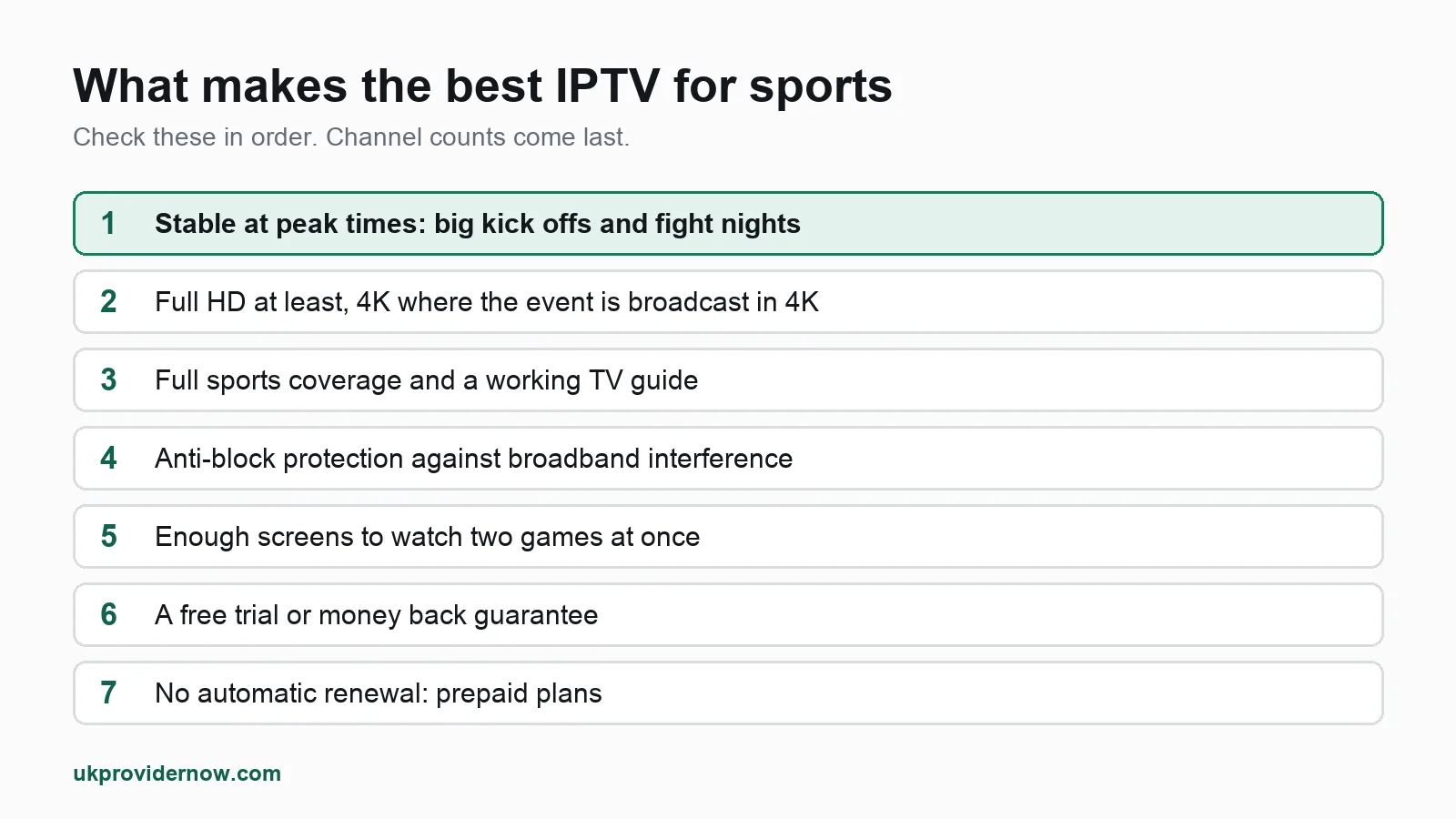
When you compare services for sport, check these seven things, in this order:
- Stability at peak times. It must hold up during big kick offs and fight nights, not just on a quiet weekday morning.
- Picture quality. Full HD at least, with 4K for the channels that offer it.
- Full sports coverage with a TV guide, so you can actually find the match you want.
- Anti-block protection, because some broadband providers interfere with IPTV during live events.
- Enough screens for your household, so two people can watch two games.
- A free trial or money back guarantee, so you can test it during a real match.
- No automatic renewal, so you only pay when you choose to.
Why UKProviderNow? Our service was built around exactly that list: 34,000+ live channels including UK and international sport, SD to 4K with a full TV guide, servers with built-in VPN and anti-block protection, prepaid plans with no automatic renewal, a 30 day money back guarantee and a free trial with no card needed. You can try it free during your next big match and judge it yourself.
Why live sport is the hardest test for any IPTV service
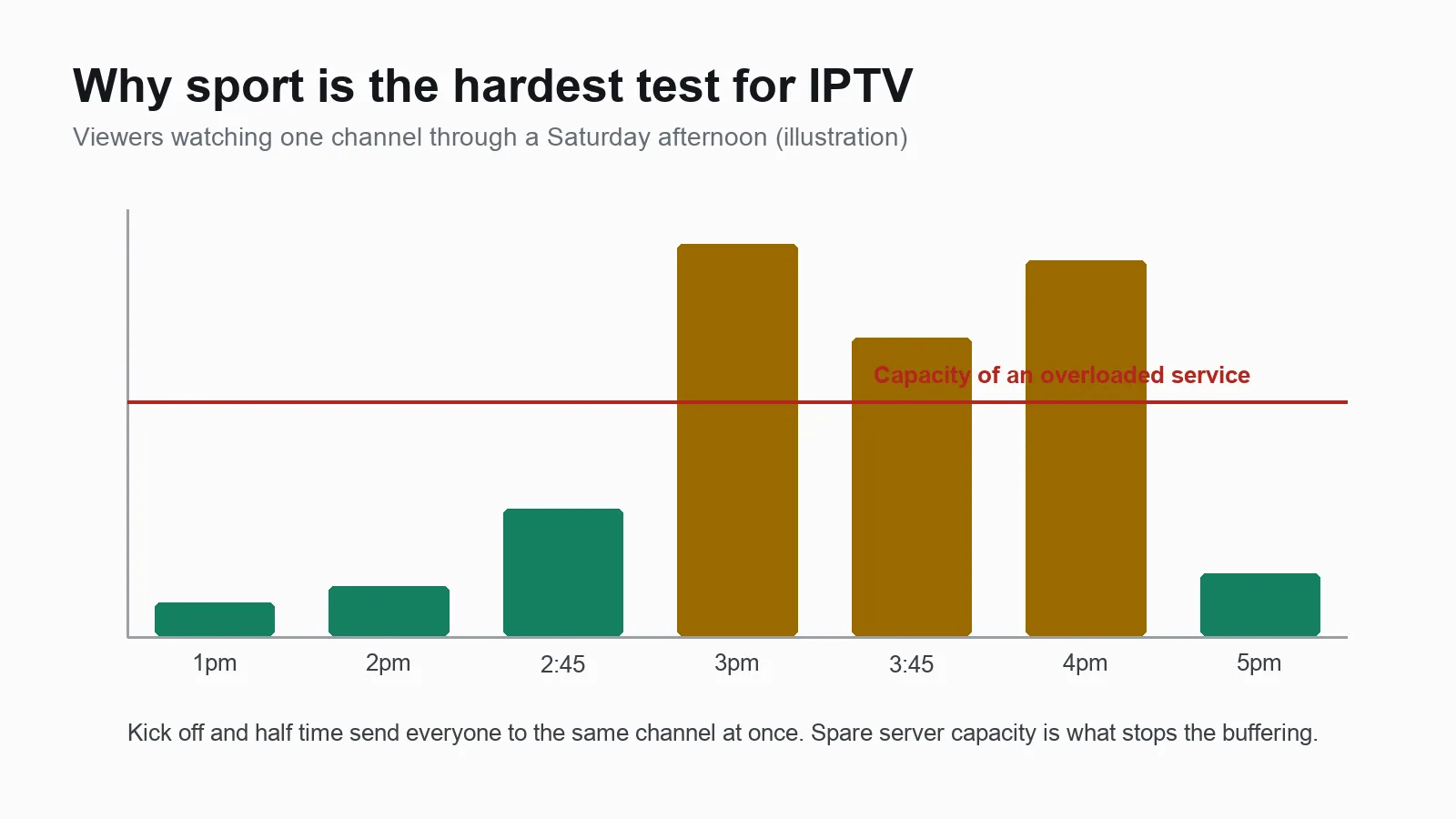
Films and box sets are forgiving. If a film buffers, you pause and come back. Live sport is different in three ways:
- Everyone watches at once. A big match sends thousands of viewers to the same channel at the same second. A service that runs fine at 10am can fall over at kick off if its servers do not have spare capacity.
- You cannot pause the moment. A two second freeze during a penalty or a knockout is the whole point of watching, gone.
- Peak times stack up. Saturday afternoons, weekday evenings and late night events are also when home broadband is busiest, because everyone else is streaming too.
That is why "best IPTV for sports" is a different question from "best IPTV". Channel numbers tell you almost nothing. What matters is how the service behaves under pressure, and the only way to know is to test it at the times you actually watch.
What to look for in a sports IPTV service
Stability at peak times
This is the single most important thing, and the one sellers talk about least. Ask how the service performs at kick off, then check for yourself with a trial. Watch the first 15 minutes of a big match, change channel a few times and see how quickly each one starts. A good service starts channels in a second or two and does not freeze when the crowd arrives.
Picture quality: HD, Full HD and 4K
Fast movement shows every weakness in a stream. A ball in flight or a car at full speed looks blocky on a low quality feed. Look for:
- Full HD (1080p) on the main sports channels as a minimum.
- 4K for events broadcast in 4K, if your TV and connection can handle it.
- A choice of SD or HD versions of the same channel, which is useful on a weaker connection or a phone.
Coverage and a proper TV guide
A sports fan needs more than the main UK channels. Check the service covers what you follow: football, rugby, cricket, Formula 1, golf, tennis, boxing, darts, NFL, NBA and the rest, from the UK and abroad.
Just as important is a working TV guide (EPG). With hundreds of sports channels, the guide is how you find which channel has your match. A service with a broken or empty guide turns every weekend into a hunt.
Anti-block protection
Some broadband providers slow down or block IPTV traffic, and it tends to happen during big live events. The usual fix is a VPN, which costs extra and must be installed and switched on for every device.
Our servers solve this differently: VPN protection and anti-block technology are built in, so there is nothing to install and nothing extra to pay. Read more about our UK IPTV with built-in VPN.
Enough screens
Sport often means two games at once, or one person watching football while another watches the tennis. Check how many connections a plan includes, and what extra screens cost. One connection is one screen playing at a time.
A fair way to test and pay
The best services make it easy to try before you commit:
- A free trial, ideally without a card.
- A money back guarantee with written terms.
- Prepaid plans, so nothing renews without you choosing to.
If a seller will not let you test during a live match, ask yourself why.
Support you can actually reach
When the match is about to start and something is not working, you want a person, not a ticket. Look for a service with real setup help and a fast way to get in touch, such as WhatsApp.
Best IPTV app for sports
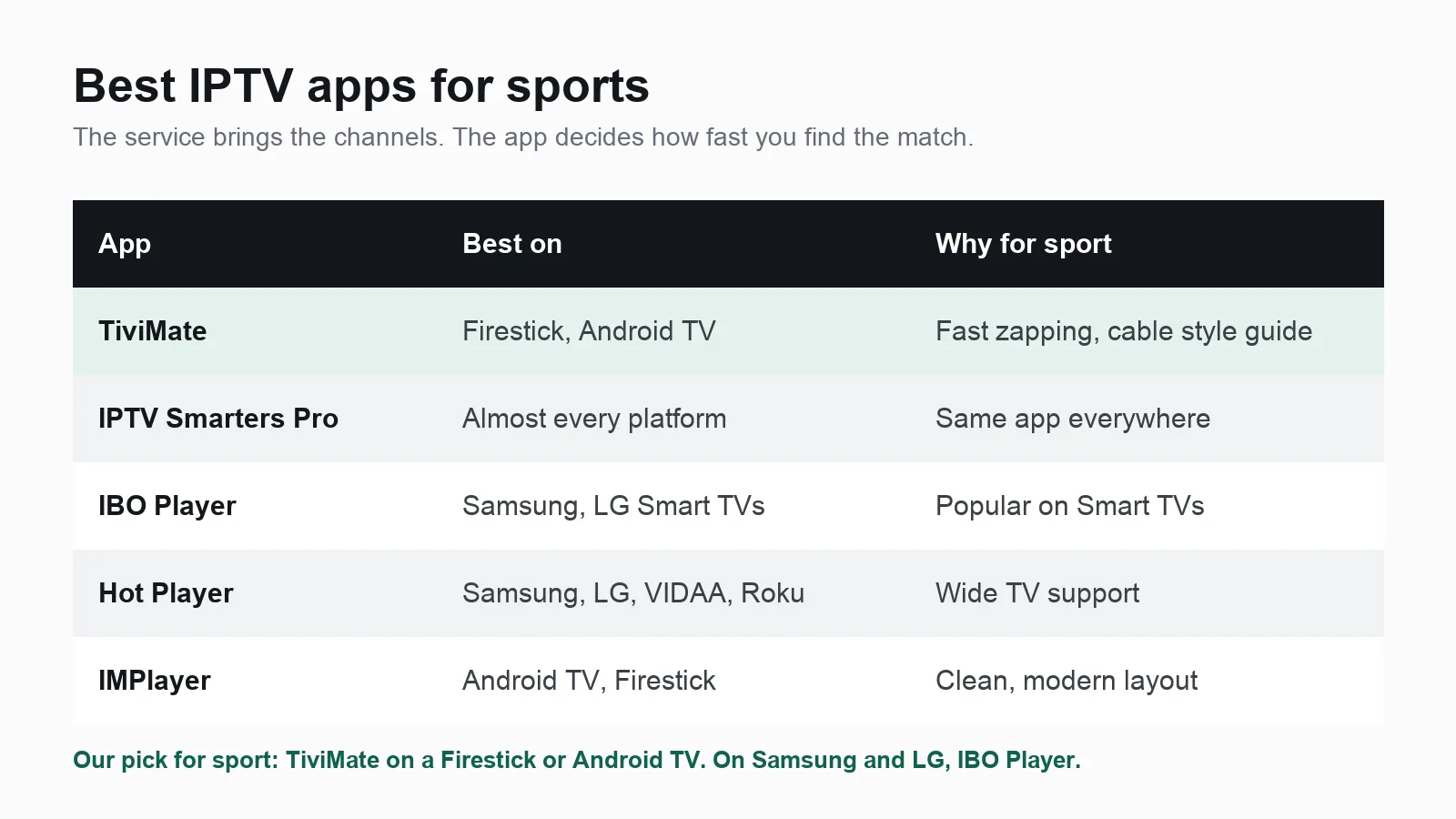
The service supplies the channels; the app decides how quickly you can find the match, how smooth the picture is and how good the TV guide looks. Here are the players we recommend most often for sport:
| App | Best on | Why it suits sport |
|---|---|---|
| TiviMate | Firestick, Android TV, Google TV | Fast channel changes, a cable box style TV guide, favourites and multi view on its paid version |
| IPTV Smarters Pro | Almost every platform, including iPhone and iPad | Simple to set up, works the same everywhere |
| IBO Player | Samsung and LG Smart TVs | One of the most used players on Smart TVs, with Xtream Codes support |
| Hot Player | Samsung, LG, VIDAA, Roku | Wide TV support and a long free trial |
| IMPlayer | Android TV and Firestick | Clean and modern, with catch up where the service supports it |
Our pick for sport is TiviMate on a Firestick or Android TV box: its TV guide makes finding the right match quick, and you can save your favourite sports channels to one list. On Samsung and LG Smart TVs, where TiviMate is not available, IBO Player is the usual choice. It needs a small one off activation after its free trial, which we explain in our guide to lifetime activation for IBO Player and Hot Player.
Not sure which apps run on your device? Our player compatibility checker tells you in seconds, and our IPTV apps guide compares the rest.
Best device for watching sport on IPTV
The device matters more than most people think, because sport is the most demanding thing you will stream.
- Amazon Fire TV Stick 4K or 4K Max. The most popular choice in the UK: affordable, runs TiviMate, and handles HD and 4K well. Check yours with our Firestick IPTV setup checker.
- Android TV and Google TV boxes and TVs. The widest choice of apps and usually the smoothest playback.
- Samsung and LG Smart TVs. Convenient, with no extra box, but a smaller choice of apps. Check your model with the Smart TV IPTV checker.
Whatever you use, a wired Ethernet connection beats Wi-Fi for live sport. Many Firestick buffering problems disappear with a cheap Ethernet adapter. Our IPTV devices guide covers each option in more detail.
Internet speed for live sport
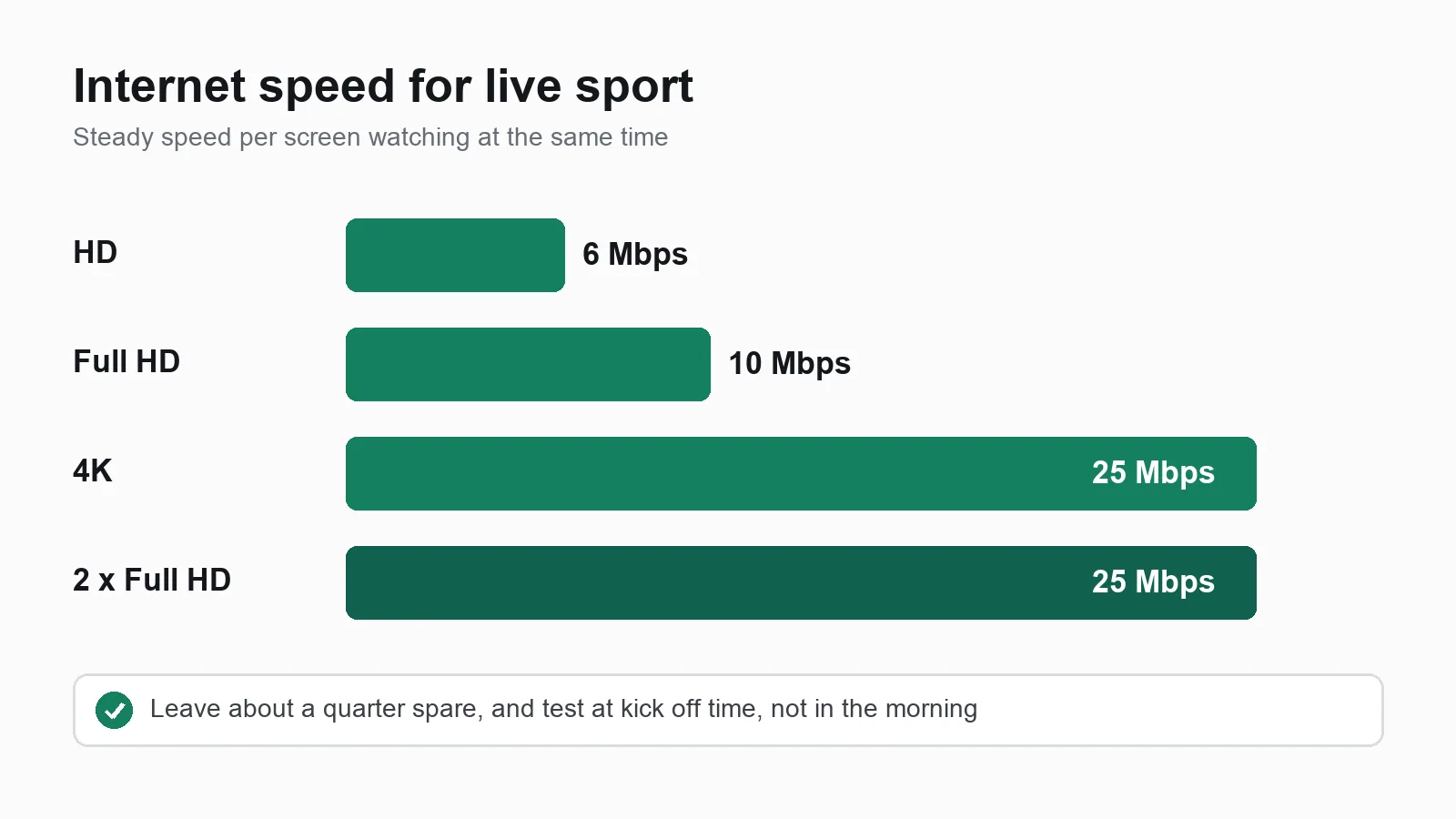
Live sport needs a steady connection more than a very fast one. As a rule of thumb, allow per screen:
- HD: about 6 Mbps
- Full HD: about 10 Mbps
- 4K: about 25 Mbps
Add these together for every screen watching at the same time, then leave about a quarter spare for phones and everything else in the house. Two Full HD matches at once need around 25 Mbps of steady speed. These figures sit close to Netflix's own speed recommendations, because streaming video needs roughly the same bandwidth whoever sends it.
The key is to test at the time you watch. Run our IPTV speed test on a Saturday afternoon or a weekday evening, not first thing in the morning. If you have a monthly data cap, the data usage calculator shows how much a season of matches will use.
How to test a sports IPTV service before you pay
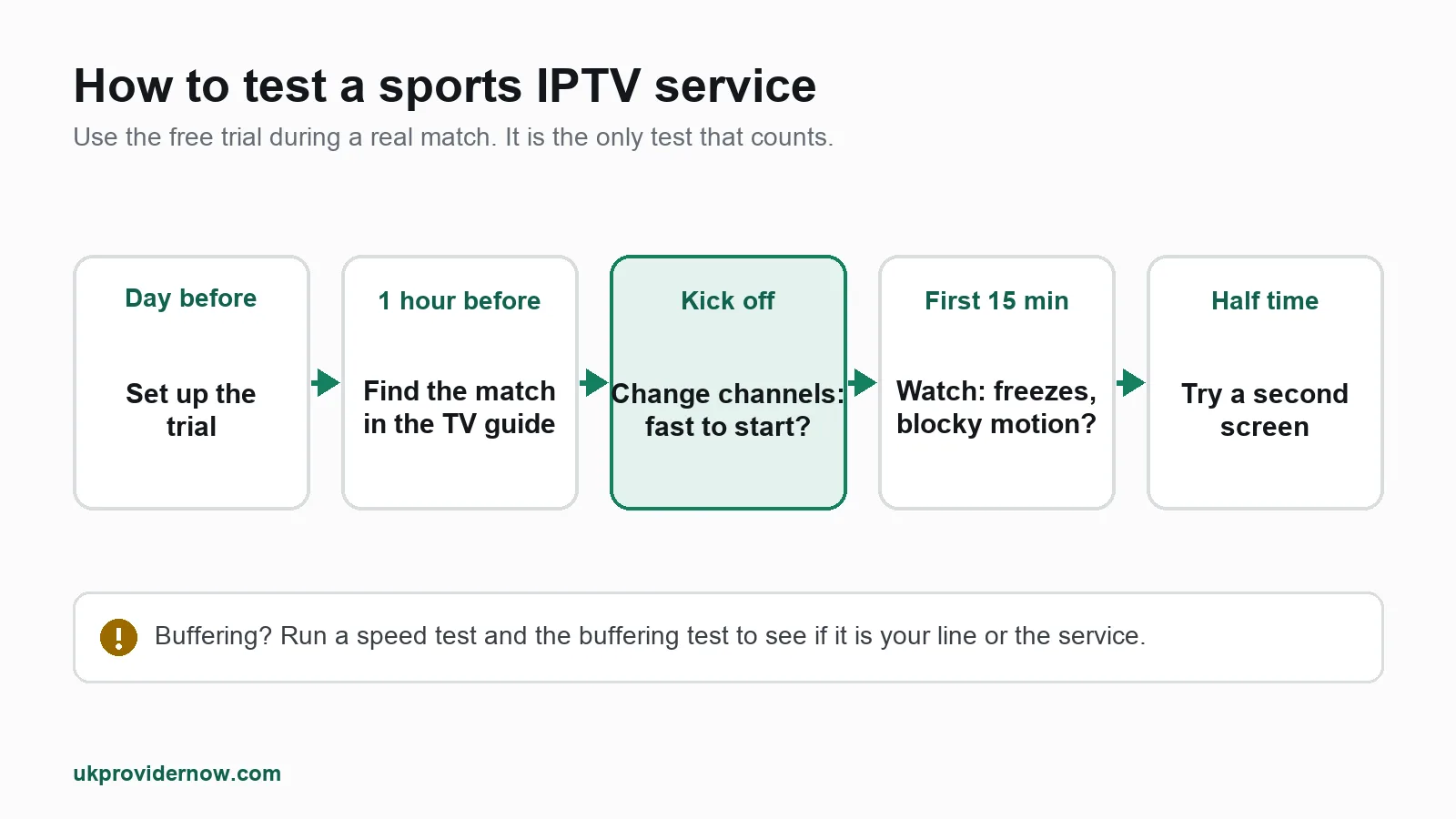
A free trial is only useful if you use it at the right time. Here is how we suggest testing any service, ours included:
- Start the trial a day before a big match, so it is set up and ready.
- Check the TV guide. Find the match in the guide and confirm the times are right for the UK.
- Change channels at kick off. This is when servers are under most pressure. Channels should start in a second or two.
- Watch the first 15 minutes without touching anything. Look for freezes, blocky movement and audio drifting out of sync.
- Try a second screen if you plan to watch two things at once.
- Check your login with our Xtream Codes checker to see the number of connections allowed and the expiry date.
If something buffers, run our IPTV buffering test. It tells you whether the problem is your connection, your device or the service, so you do not blame the wrong thing.
Red flags when buying IPTV for sport
Most bad experiences come from the same few warning signs:
- "Lifetime IPTV" for a single payment. No service can promise to run forever for one small fee. These offers rarely last.
- Prices far below everyone else. Very cheap usually means overloaded servers, which buffer at exactly the moments that matter.
- No trial and no refund. A seller who will not let you test during a match does not expect you to like what you see.
- Recurring card payments that are hard to stop. Prepaid is safer, especially with a service you do not know yet.
- No way to reach anyone. If there is no real support before you pay, there will be none on match day.
Why UKProviderNow is built for sport
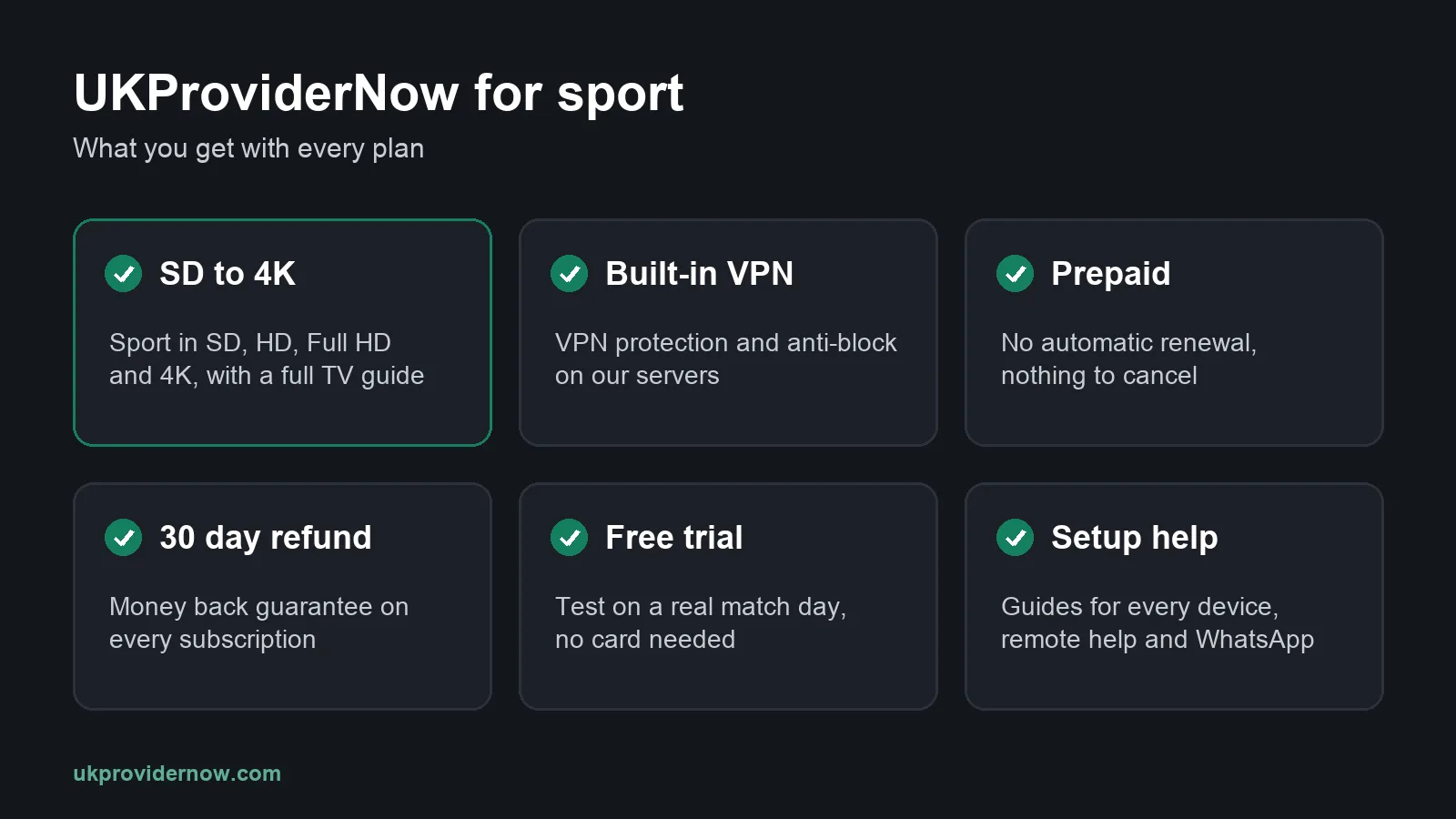
We are a UK IPTV service, and we built every plan with match day in mind. Here is what you get, and why each part matters:
Test it on a real match day
Do not take our word for how a service holds up at kick off: test it. Our free IPTV trial lets you watch a live match on your own device and your own connection, with no card needed.
34,000+ live channels, SD to 4K
Sport, entertainment, news, kids and documentaries in SD, HD, Full HD and 4K, with a full TV guide so you can find every match. You also get 195,000+ movies and series for the days without a game.
Built-in VPN and anti-block
Our servers have VPN protection and anti-block technology built in, so channels keep loading for UK viewers without you buying a separate VPN or installing anything on your TV, Firestick or phone.
Prepaid, with no automatic renewal
Every plan is prepaid. Nothing is ever charged without you choosing to renew, so there is nothing to cancel. Compare our IPTV subscription plans or see current prices.
A 30 day money back guarantee
Every subscription bought through your account comes with a 30 day money back guarantee. If it is not right for you, ask for a refund within 30 days. The details are in our refund policy.
More screens when you need them
Each plan includes its stated number of connections, and you can add extra devices if your household wants to watch on more screens at the same time.
Setup help for every device
Our Help Center has setup guides for Firestick, Android TV, Smart TVs, phones and more. If you would rather someone did it with you before the big game, our TV setup help team can do it remotely. And you can always message us on WhatsApp.
Free tools that work with any provider
Our free IPTV tools check your speed, your playlist, your login and your expiry date, whoever your provider is.
Ready to see it for yourself? Start a free trial before your next big match, or see how to buy IPTV UK online.
How to stop buffering during a match
If the picture freezes when it matters, work through this list in order:
- Restart the app, then the device.
- Use a cable. Ethernet is far more stable than Wi-Fi for live sport.
- Close other streams. Someone downloading a game or streaming 4K in another room competes for the same bandwidth.
- Try the HD or SD version of the channel if the 4K or Full HD one struggles.
- Change the player's buffer setting if your app has one. A slightly larger buffer smooths out short dips.
- Run our buffering test to find the cause, and see our step by step buffering fixes.
If one specific channel will not play while others do, see our help on channels not loading, and if the guide is empty, our fix for an empty or wrong TV guide.
Best IPTV for sports: FAQs
What is the best IPTV for sports in the UK?
The best IPTV for sports is a service that stays stable at peak times, offers Full HD and 4K, has a working TV guide, includes anti-block protection and lets you test it during a live match before you pay. UKProviderNow was built around all of these, and you can test it free with no card.
Can I watch sport in 4K with IPTV?
Yes, for events broadcast in 4K, as long as your TV or streaming device supports 4K and you have around 25 Mbps of steady speed for that screen.
Why does IPTV buffer during football?
Usually because too many people are watching the same channel at once and the provider's servers are overloaded, or because your own broadband is busy at the same time. Test your speed during the match and use a wired connection to rule out your end.
Do I need a VPN for sports IPTV?
Many services recommend one, because some broadband providers slow down or block IPTV during live events. With UKProviderNow you do not need a separate VPN: protection and anti-block are built into our servers.
What is the best IPTV app for sports?
TiviMate is our favourite on Firestick and Android TV, thanks to its fast channel changes and TV guide. On Samsung and LG Smart TVs, IBO Player is the most common choice. IPTV Smarters Pro is the easiest option if you want the same app on every device.
Can I watch two matches at the same time?
Yes, if your plan includes two connections or you add an extra device. Each screen playing at the same time uses one connection.
Is IPTV behind live TV?
IPTV streams are usually a few seconds behind traditional broadcast, as most online streams are. It rarely matters, unless someone in the house is watching on a different service and celebrating before you.
Can I try before I buy?
Yes. Request a free IPTV trial with no card needed, and test it during a real match. Every plan also has a 30 day money back guarantee.
Should I choose monthly or a longer plan for sport?
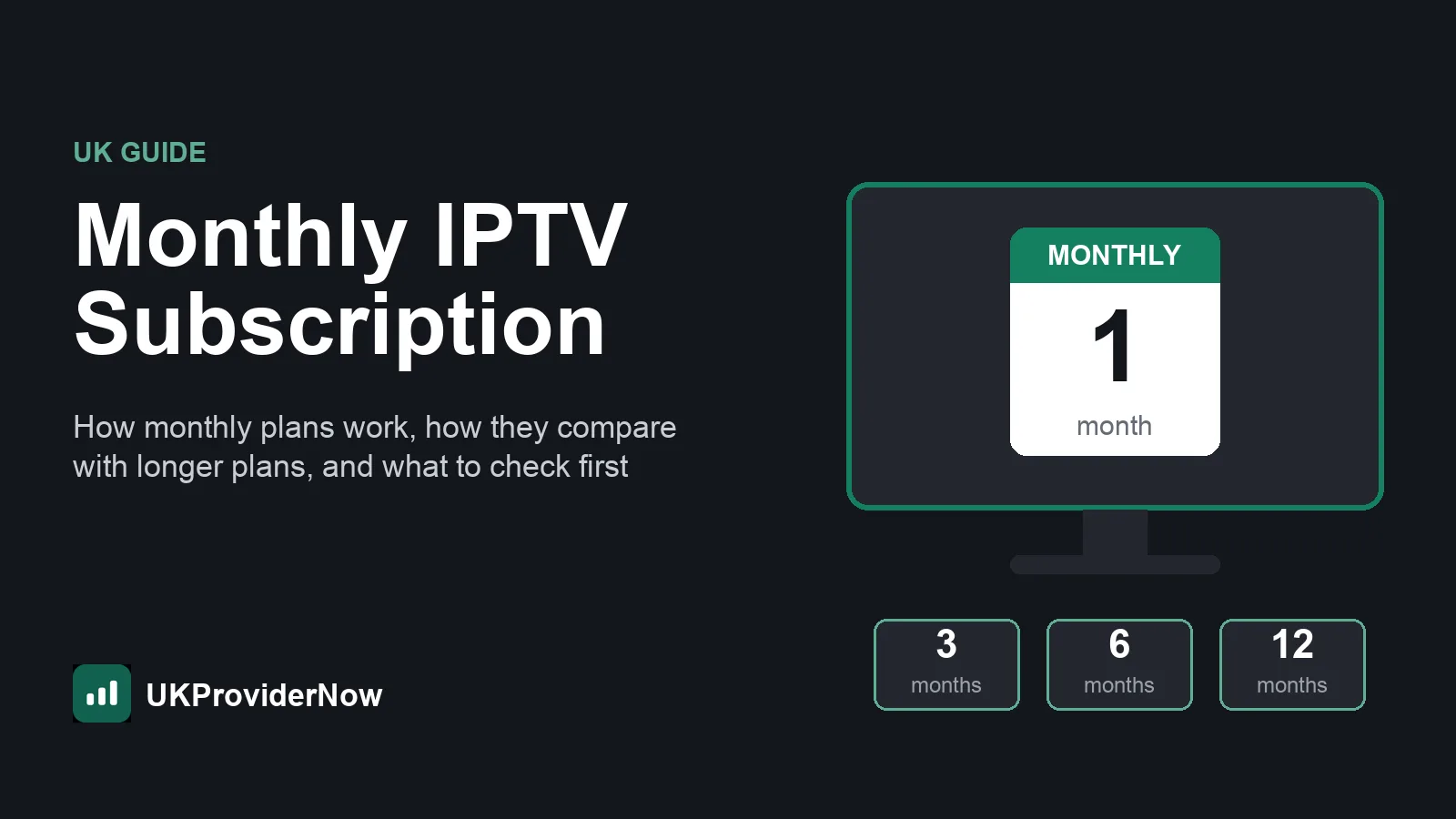
If you are new to a service, test it first with a trial, then choose the length that suits your season. Our guide to the monthly IPTV subscription explains how monthly plans compare with longer ones.
Useful next steps
- UK IPTV serviceLive UK channels, sport, films and box sets.
- How it worksFrom order to watching in a few steps.
- IPTV Speed TestIs your internet fast enough for HD or 4K?
- IPTV Buffering TestFind out why your stream keeps buffering.
- IPTV subscription plansPrepaid UK plans with no automatic renewal.
- Free IPTV TrialTest UK IPTV free before you pay.
Published by UKProviderNow, a UK IPTV provider. About us · Contact us · Help Center
Comments (1)
Alex
This is nice thank you