
IPTV MAC Address Generator
Generate random, correctly formatted MAC addresses in any common format, or check an existing one. Created in your browser and never stored.
Good to know: a generated MAC address doesn't activate an IPTV service, unlock channels or create a provider account. It's just a correctly formatted identifier.
Check a MAC address
A MAC address generator creates random hardware-style network identifiers in the correct format. MAC addresses are six bytes written as twelve hexadecimal characters, and this tool makes them properly: every address is unicast and locally administered, the type reserved for software-assigned addresses. It can:
- Generate one or many random MAC addresses at once, up to 20.
- Format them with colons, hyphens, no separators or Cisco-style dots, in upper or lower case.
- Copy a single address or the whole list with one tap.
- Check an existing MAC: whether it's valid, what type it is, and how it looks in every format.
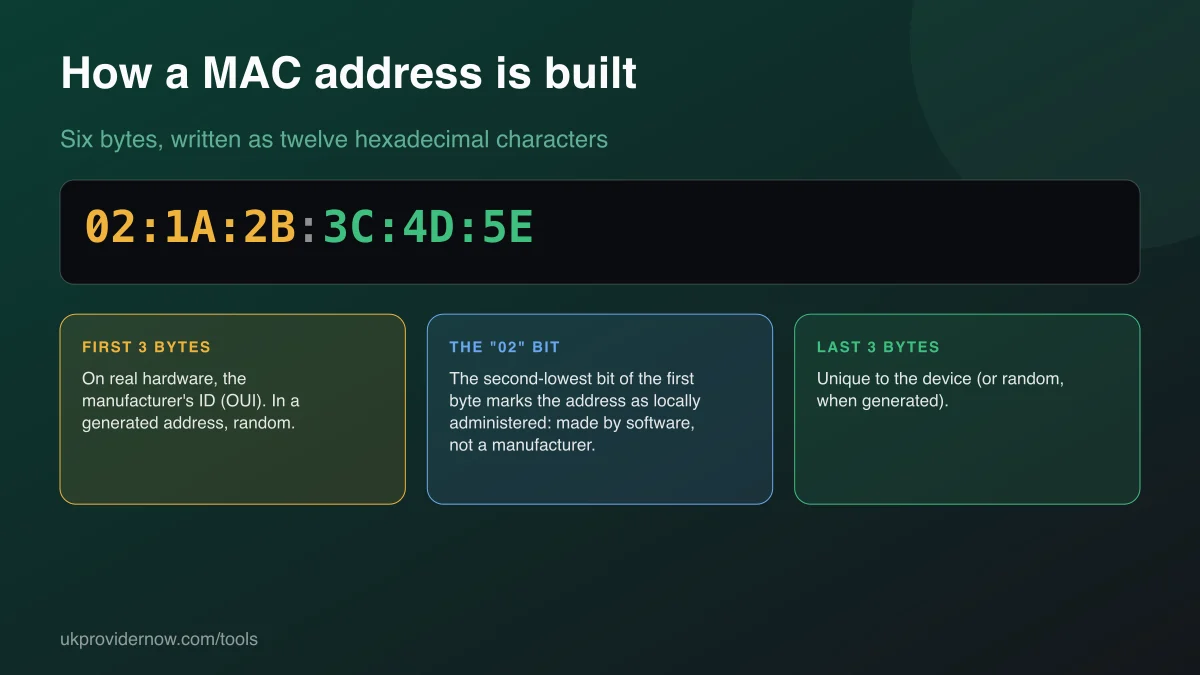
What is a MAC address?
Every network connection, whether Wi-Fi, Ethernet or Bluetooth, has a MAC address so devices on the same local network can tell each other apart. On real hardware the first three bytes identify the manufacturer, known as the OUI, and the last three are unique to the device. A MAC address never travels beyond your local network. Websites and IPTV servers on the internet can't see it unless an app deliberately sends it.
Two bits in the first byte have special meanings. The lowest bit marks an address as multicast (for groups of devices) or unicast (for one device). The second-lowest marks it as locally administered, set by software, or universally administered, assigned by a manufacturer. This generator always produces unicast, locally administered addresses, so the first byte always ends in 2, 6, A or E.
How to generate a MAC address
- Choose how many addresses you need, from 1 to 20.
- Pick the format the app, router or form expects, and upper or lower case.
- Press Generate MAC address. Each press creates new random addresses.
- Tap an address to copy it, or use Copy all for the full list, one per line.
MAC address formats
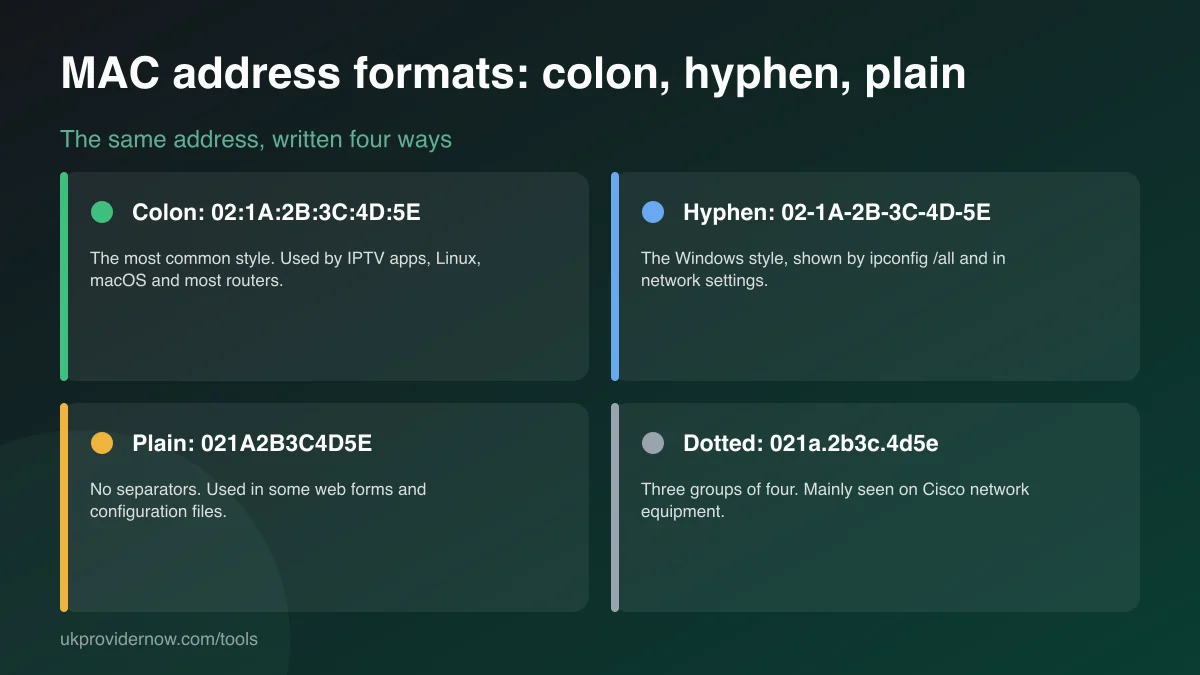
The format is only presentation: 02:1A:2B:3C:4D:5E, 02-1a-2b-3c-4d-5e and021A2B3C4D5E are the same address. Most IPTV apps and routers show colons; Windows uses hyphens. If a form rejects an address, the format is usually the reason. Paste it into the checker above and copy the style you need.
MAC addresses in IPTV
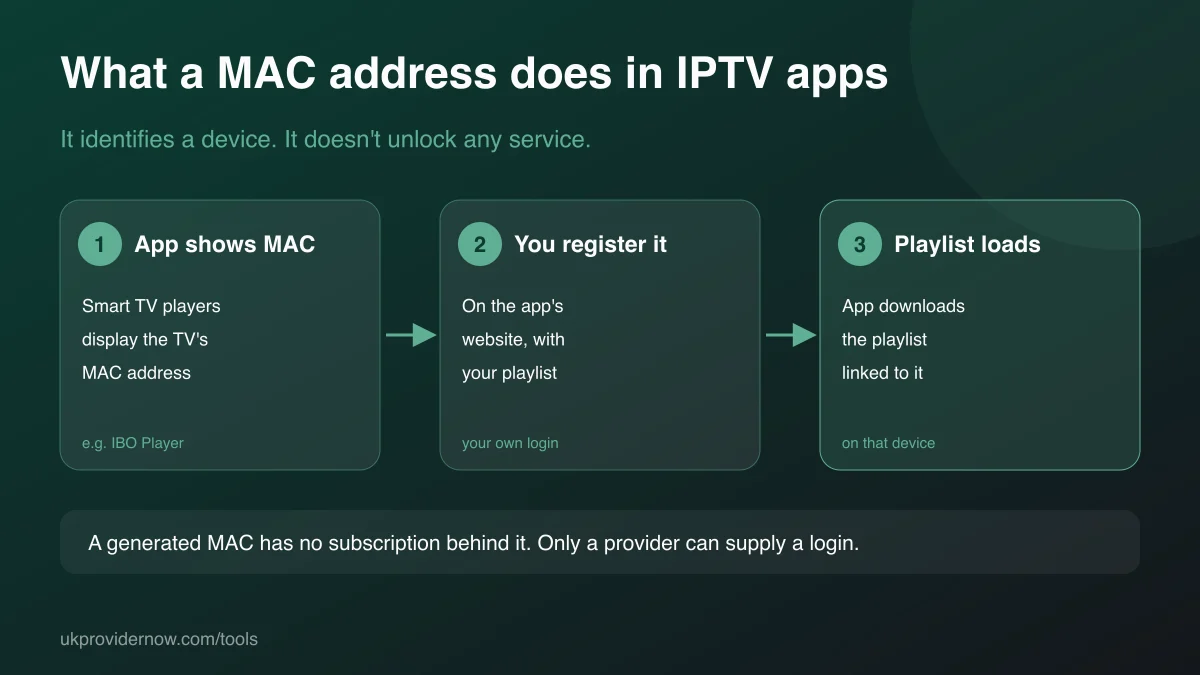
Several Smart TV players, including IBO Player,Smart IPTV and Flix IPTV, show your TV's MAC address when you first open them. You enter that MAC, together with the playlist from your own subscription, on the app developer's website, and the app downloads the playlist. The MAC is the TV's own, shown by the app; you don't need to generate one for this. MAG set-top boxes work in a similar way, with the provider registering the box's MAC against your account.
A generated MAC address won't make IPTV work. It isn't registered with any app or provider and has no subscription attached. Genuine uses for a random MAC include testing software, network labs, virtual machines, emulators that need an address filled in, and privacy features that change a device's address. If you're setting up IPTV, the player compatibility checker shows which app and login type your device needs, and the Smart TV checker explains activation on Samsung and LG.
Checking a MAC address
Paste any MAC into the checker, with colons, hyphens, dots or nothing between the characters. It tells you whether it's valid, whether it's unicast or multicast, and whether it looks like a manufacturer-assigned or a software-assigned address, then shows it in all four formats. It also flags the special all-zero and broadcast (FF:FF:FF:FF:FF:FF) addresses, which apps won't accept as a device ID.
Privacy
Addresses are generated by your browser's cryptographic random number generator (crypto.getRandomValues) and checked locally. Nothing is sent to our servers, logged or stored.
Frequently asked questions
What is a MAC address?
A MAC (media access control) address is a hardware identifier for a network connection, made of six bytes written as twelve hexadecimal characters, such as 02:1A:2B:3C:4D:5E. Every Wi-Fi and Ethernet adapter has one. Routers use it to recognise devices on the local network.
Why do IPTV apps use MAC addresses?
Some players, mainly on Samsung and LG Smart TVs, identify the device by its MAC address. You enter that MAC and your own playlist on the app developer's website, and the app downloads your playlist. MAG set-top boxes and some portal-based services also tie an account to the device's MAC.
Will a generated MAC address give me free IPTV?
No. A MAC address is only an identifier. A generated one isn't registered with any provider or app and has no subscription behind it. Channels only work with a login or device registration arranged with a legitimate provider.
What is a locally administered MAC address?
A MAC address where the second-lowest bit of the first byte is set, which marks it as assigned by software rather than burned in by a manufacturer. Every address this generator creates is locally administered and unicast, so it can't collide with a real device's factory address. The first byte always ends in 2, 6, A or E.
Which MAC format should I use?
Use whatever the form or app asks for. Colon format (02:1A:2B:3C:4D:5E) is the most common and is used by IPTV apps, Linux, macOS and most routers. Windows shows hyphens, some web forms want no separators, and Cisco equipment uses dotted groups of four.
Where do I find my own device's MAC address?
On a Fire TV Stick: Settings, My Fire TV, About, Network. On Android TV: Settings, Device Preferences, About, Status. On most Smart TVs: Settings, then Support or About, then network information. IPTV apps that use a MAC usually show it on their start screen.
Are the generated addresses stored?
No. They're created by your browser's secure random number generator and never sent to our servers. Refreshing the page discards them.
Related tools
Last updated